AI Tools for Traffic Arbitrage in 2026 How to Build a Practical Stack

AI is useful in traffic arbitrage not because it “does everything for you”. It does not. It shortens the time between a hypothesis and a test: faster creatives, more ad copy variants, cleaner offer analysis, UGC scripts, and quicker funnel reviews. For traffic arbitrage, that often matters more than adding another subscription.
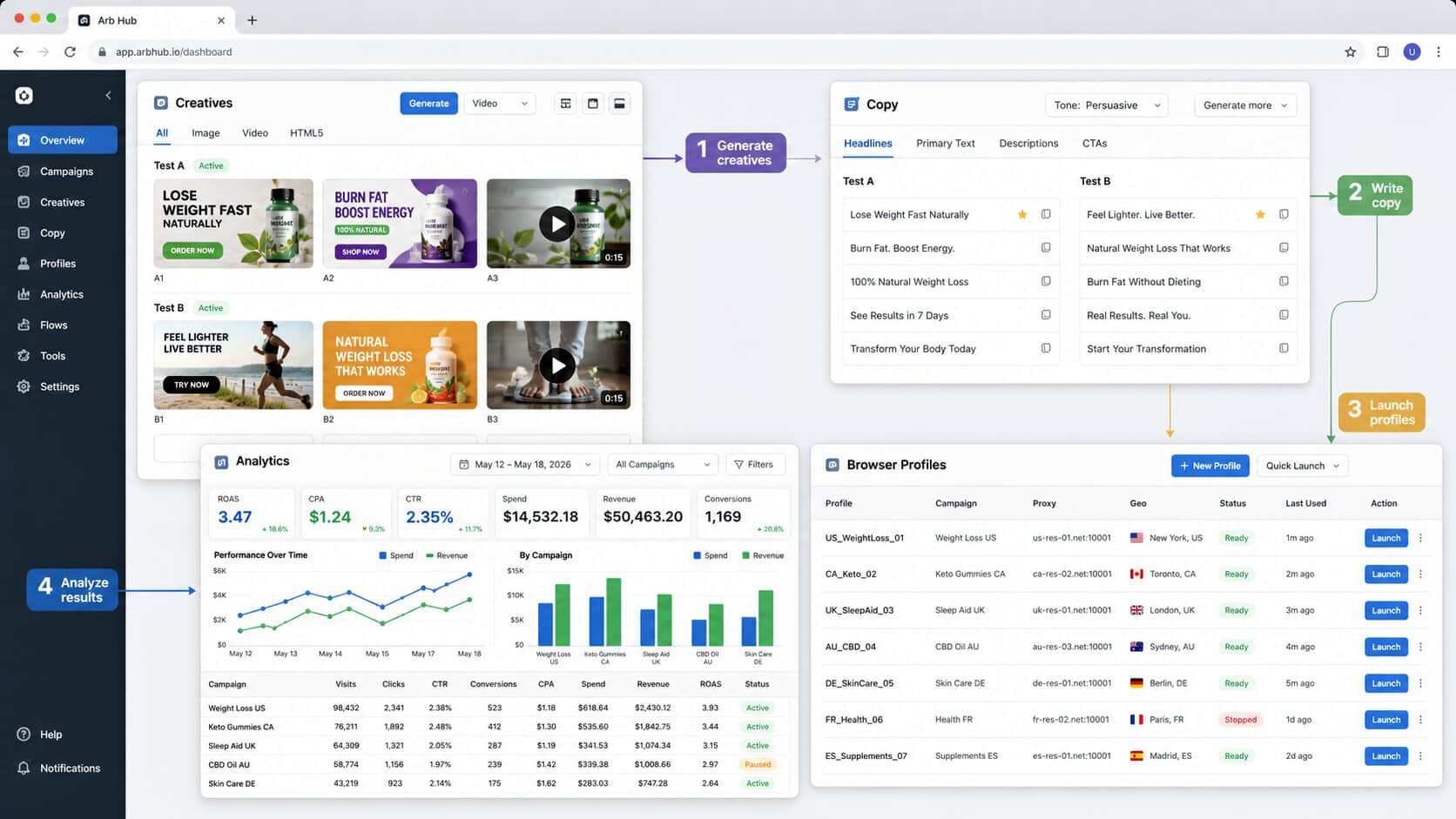
A good AI stack is not one tool. It is usually 4-6 tools for different jobs: copy, visuals, video, ads, analytics, and browser routine. The real question is not “which neural network is best”. The question is where it saves hours or improves ROAS.
Why Media Buyers Use AI Tools
AI tools in arbitrage solve three practical tasks: create test assets faster, analyze data faster, and repeat routine actions faster. If a tool does not help with at least one of those, it is just noise.
Teams most often use AI for ad copy, banners, UGC videos, localization, competitor analysis, offer breakdowns, and reports. But there is a trap. A beginner opens ten tools, tries everything at once, and a week later cannot tell what actually helped.
Start with a narrow workflow. For example: 20 headline variants for one offer, 10 banners for one angle, 5 UGC scripts for TikTok. Then look at numbers, not feelings.
AI for Analytics and Process Automation
For analytics and workflows, pretty answers matter less than turning messy data into something usable. Gumloop, Notion AI, Make, Zapier, and similar platforms help connect tables, trackers, ad accounts, documents, and external data sources.
Gumloop is strong as an AI workflow builder. It can monitor offers, collect data, prepare reports, and run first-pass hypothesis checks. Notion AI works more like an operations hub: knowledge bases, checklists, test history, creative libraries, and team tasks.
For teams, this is valuable. When all test memory lives in chats, people repeat the same decisions. AI can summarize, group, and extract patterns. The final call still belongs to a person who understands the niche.
AI for Creatives, Video, and UGC
Creatives burn out fast, so AI saves the most time here. Midjourney, Leonardo AI, Canva AI, Pictory, Crayo, Arcads, and Synthesia help produce visuals, short videos, UGC scripts, and geo adaptations.
Visual tools work best in batches. One prompt, several styles, several formats, then selection. Video works the same way: do not chase the perfect clip. Make 10 test variations and see where the signal appears.
| Task | Tools | When useful |
|---|---|---|
| banners and teasers | Midjourney, Leonardo AI, Canva AI | quick A/B tests of visual angles |
| short videos | Pictory, Crayo, Invideo | TikTok, Reels, Shorts |
| UGC ads | Arcads, Synthesia | many scripts without filming |
| ad layouts | AdCreative.ai | bulk variants for ad networks |
| copy | Jasper, Copy.ai, LLM assistants | headlines, CTAs, landing pages, localization |
Do not push AI creatives into campaigns without editing. Machine visuals often look “almost fine”, and that is the dangerous part. A strange hand, artificial eye contact, or a sterile banner can kill trust faster than expected.
AI for Copy, Ads, and Localization
For copy, AI works best as a variation engine. Jasper, Copy.ai, Writesonic, Rytr, and general LLM assistants can produce headlines, CTAs, offer descriptions, landing page structures, email sequences, and geo-specific translations.
But arbitrage copy should not sound like a SaaS brochure. It must sell a specific angle. Pain, desire, constraint, proof, action. If AI gives you a smooth ad paragraph with no edge, rewrite it.
The best prompt is not “write an ad”. Give context: offer, geo, audience, banned claims, platform format, and examples of creatives that already worked. The output gets much closer to real media buying work.
AI for Campaigns and ROAS
AI for ads is useful when it helps test hypotheses faster and read campaign data. AdCreative.ai, Smartly.io, Albert, and similar platforms can generate creatives, adapt formats, group audiences, and suggest what to scale.
Judge these tools by their impact on ROAS, CPA, and testing speed, not by the feature list. If a platform creates 100 banners but the team cannot launch and analyze them properly, it does not help much.
Discipline matters here: campaign names, UTM tags, a hypothesis table, consistent creative logic, and separate work environments. Without that, AI just speeds up chaos.
How Afina Fits Into an AI Arbitrage Stack
AI tools create assets and help teams think faster. But a lot of arbitrage work still happens in the browser: profiles, ad accounts, proxies, reports, checks, repeated actions. That requires environment separation and control.
In Afina, different workstreams can run in separate browser profiles, with assigned proxies, separated cookies, and repeated actions handled through scripts and automation. For teams, this is cleaner than sharing access in chats and constantly relogging.
If AI generates creatives, Notion stores conclusions, and ad accounts are still opened from the same loose browser environment, the process gets fragile fast. Afina helps separate the environments. Not magic. Just order.
DownloadFAQ — Frequently Asked Questions
What is the best AI tool for traffic arbitrage?
There is no single best tool. For creatives, teams often use Midjourney or Leonardo AI. For video, Pictory or Arcads. For copy, Jasper or Copy.ai. For workflows, Gumloop or Notion AI.
Can AI improve conversion rates?
Yes, if it is used for faster testing and better analysis. AI does not guarantee conversions, but it helps teams find working angles faster.
Do AI tools require technical skills?
Most marketing tools do not. You still need to understand the offer, audience, ad platform rules, and metrics, or the tool will generate a lot of weak variants.
Should beginners start with free AI tools?
Yes. Free limits are enough to test workflows and see which tasks you actually speed up before paying for several subscriptions.
Why use an antidetect browser in an AI stack?
It matters when a team works with multiple accounts, ad cabinets, and geos. Isolated profiles help keep work environments, cookies, proxies, and access separate.