Mass fingerprint change#
Mass fingerprint change is a tool for quickly updating technical characteristics across several accounts at once. It lets you avoid opening each profile's settings separately and change the timezone, language, or hardware parameters in one action.
Before you start#
Before changing the fingerprint, consider the technical limits and the logic websites may use to check whether profile data is consistent.
- Afina currently supports browser core 148 and newer cores.
- When a new core is released, accounts automatically move to the newest available core.
- In the "Device Memory" field, you can use 8 GB, 16 GB, or 32 GB.
- The minimum RAM value is 8 GB.
- Only even values are allowed for CPU.
- The maximum CPU value is 64.
Changes are applied to the selected accounts immediately after clicking Assign. You will not be able to undo them in one click.
Finding the tool#
First, open the mass fingerprint change tool for the required accounts.
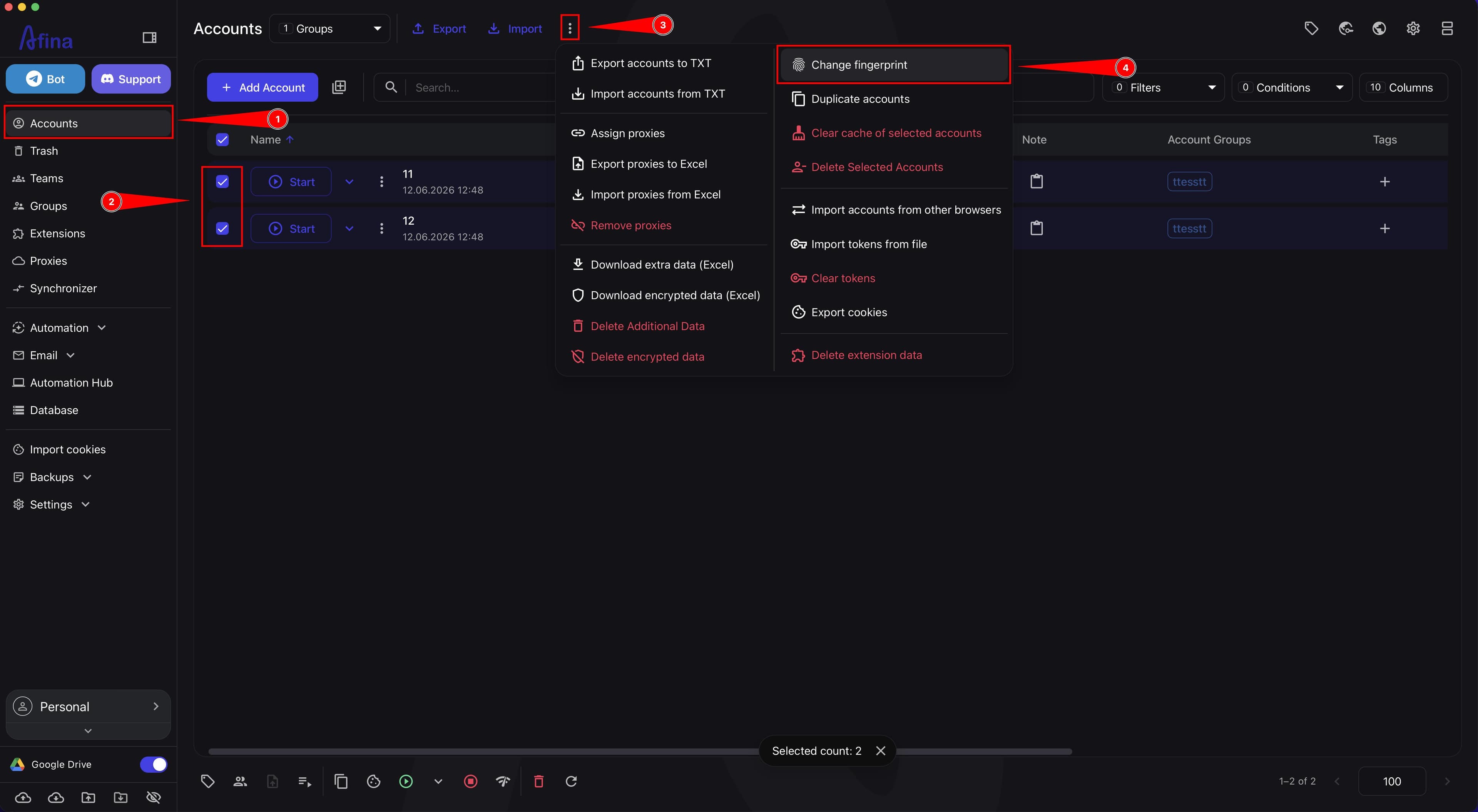
- Go to the Accounts section.
- Select the required profiles using checkboxes.
- On the top control panel, click the ⋮ icon.
- Select Change fingerprint.
The screenshot below shows the Accounts section with selected profiles and the additional actions menu open.
Changing data#
In the window that opens, create a list of parameters that need to be updated for the selected accounts.
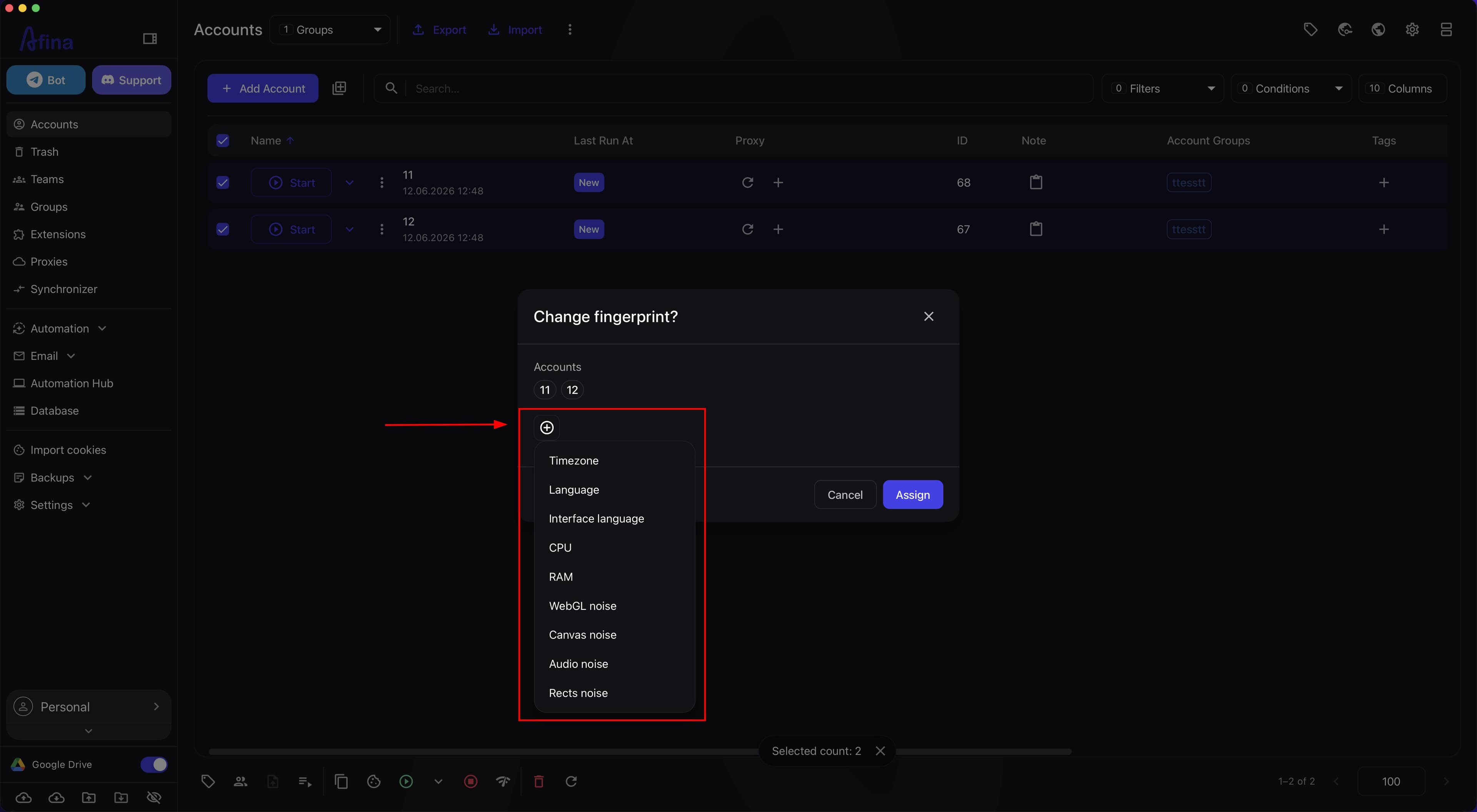
- Click the + icon to add an attribute.
- From the list, select the parameter you need to change: Timezone, Language, Interface language, CPU, RAM, WebGL noise, Canvas noise, Audio noise, or Rects noise.
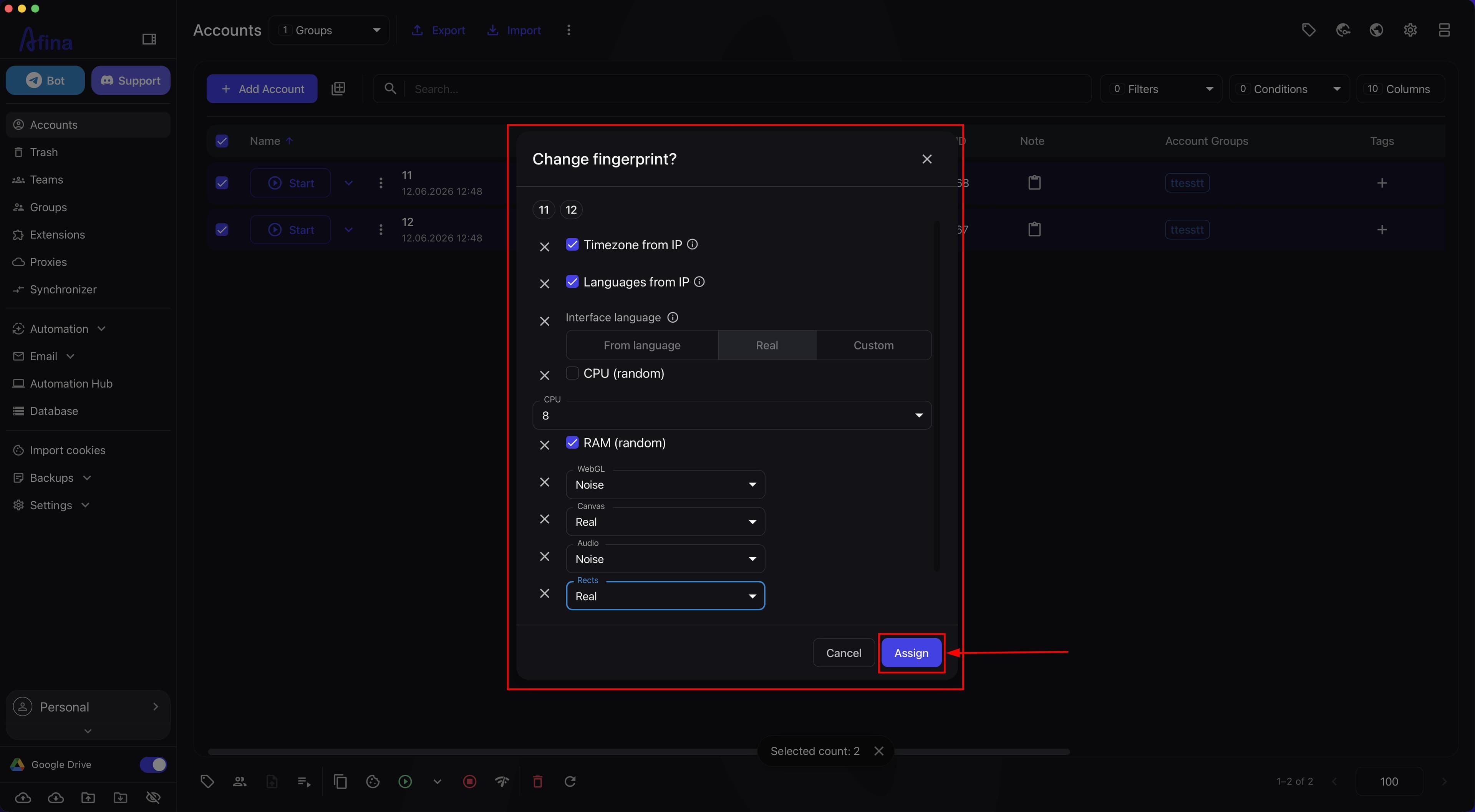
- Set a specific value for the selected parameter.
- For CPU and RAM, you can select Random if needed.
- Click Assign.
The screenshot below shows the list of available parameters that opens after clicking the + icon.
A separate screenshot shows the filled parameters before clicking Assign.
Available parameters#
You can flexibly combine parameters to update the required parts of the fingerprint.
Timezone You can set the value to from IP or select the timezone manually.
Language You can set the browser language and the method used to determine it: from IP, real system language, or based on the interface language.
Interface language You can change the browser interface language: based on language, real system language, or manually.
Hardware resources You can change CPU and the amount of RAM. For RAM, the available values are 8 GB, 16 GB, and 32 GB. For CPU and RAM, you can select Random to automatically create different configurations for each profile in the batch.
WebGL noise You can add noise for WebGL to change the profile's graphics fingerprint.
Canvas noise You can add noise for Canvas to change rendering parameters in the browser.
Audio noise You can add noise for Audio to change the profile's audio fingerprint.
Rects noise You can add noise for Rects to change identification parameters based on page element geometry.
Do not apply noise to all parameters at once without a need. For a stable fingerprint, it is enough to change only the components required for your scenario.
What this affects#
Mass fingerprint change affects how website anti-fraud systems see your profiles. It is a way to make a batch of accounts avoid looking like the same farm launched from one computer.
Parameter uniqueness Random CPU and RAM values help avoid identical configurations across a large number of accounts.
Language and time The tool lets you quickly update Timezone, Language, and Interface language for all selected profiles.
Digital footprint Adding WebGL noise, Canvas noise, Audio noise, and Rects noise changes browser identification parameters.
Checking the result#
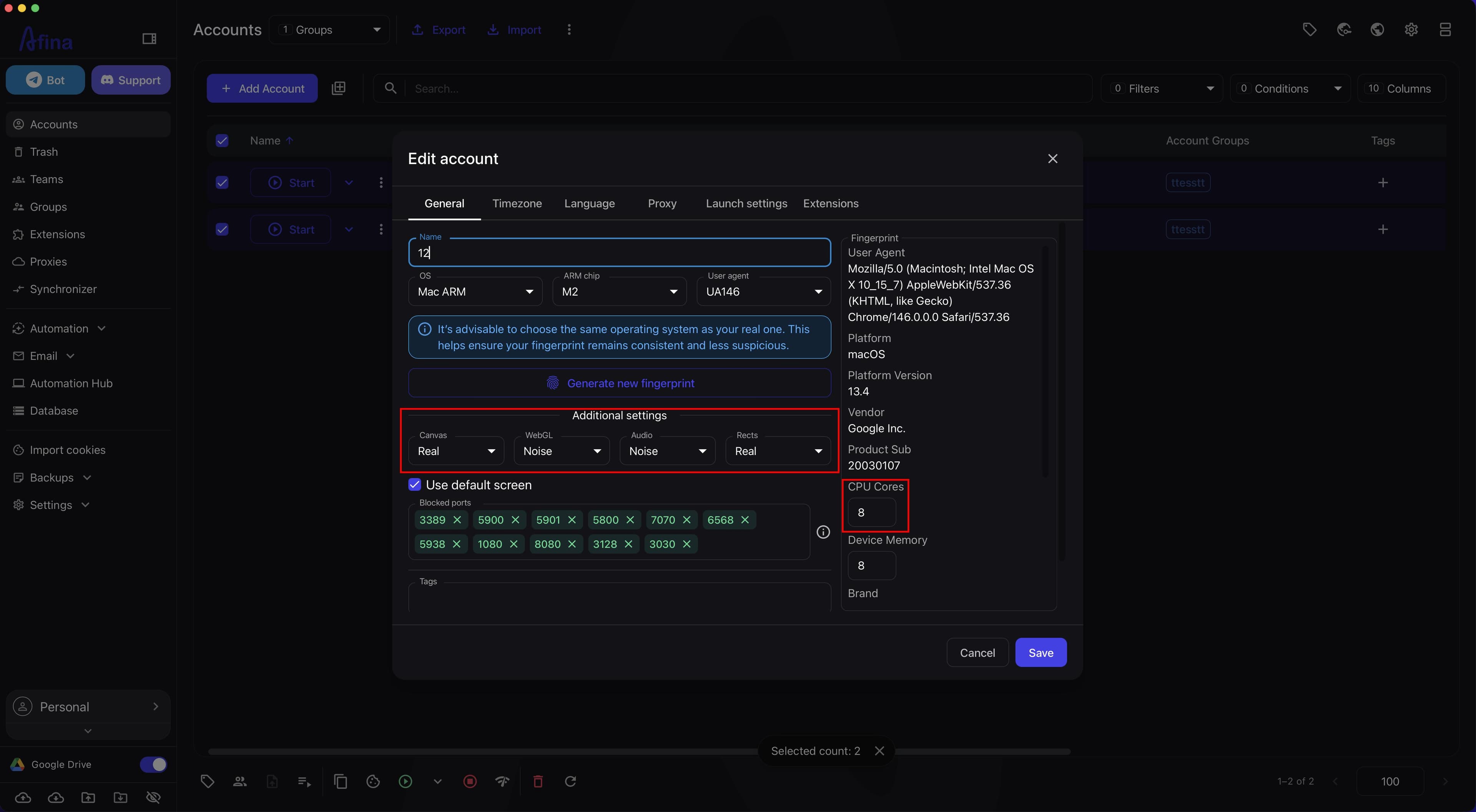
After assigning the parameters, check that the changes were applied to the selected accounts.
- Stay in the Accounts section.
- Open the account settings and check the updated parameters.
The screenshot below shows the account settings after applying the changes so the updated fingerprint parameters are visible.
Result#
After clicking Assign, the selected fingerprint parameters are applied to all selected accounts. Profiles receive updated timezone, language, interface language, CPU, RAM, or component noise values depending on which attributes you added.