How to launch Cookie Robot#
In this guide, you will learn how to launch Cookie Robot and configure its settings. This is needed to automatically visit the specified sites and collect cookies for the selected profile.
Before you start#
- Make sure the required profile already exists in the Accounts section.
- Prepare the list of URLs that Cookie Robot should visit in advance.
Launching and configuring#
-
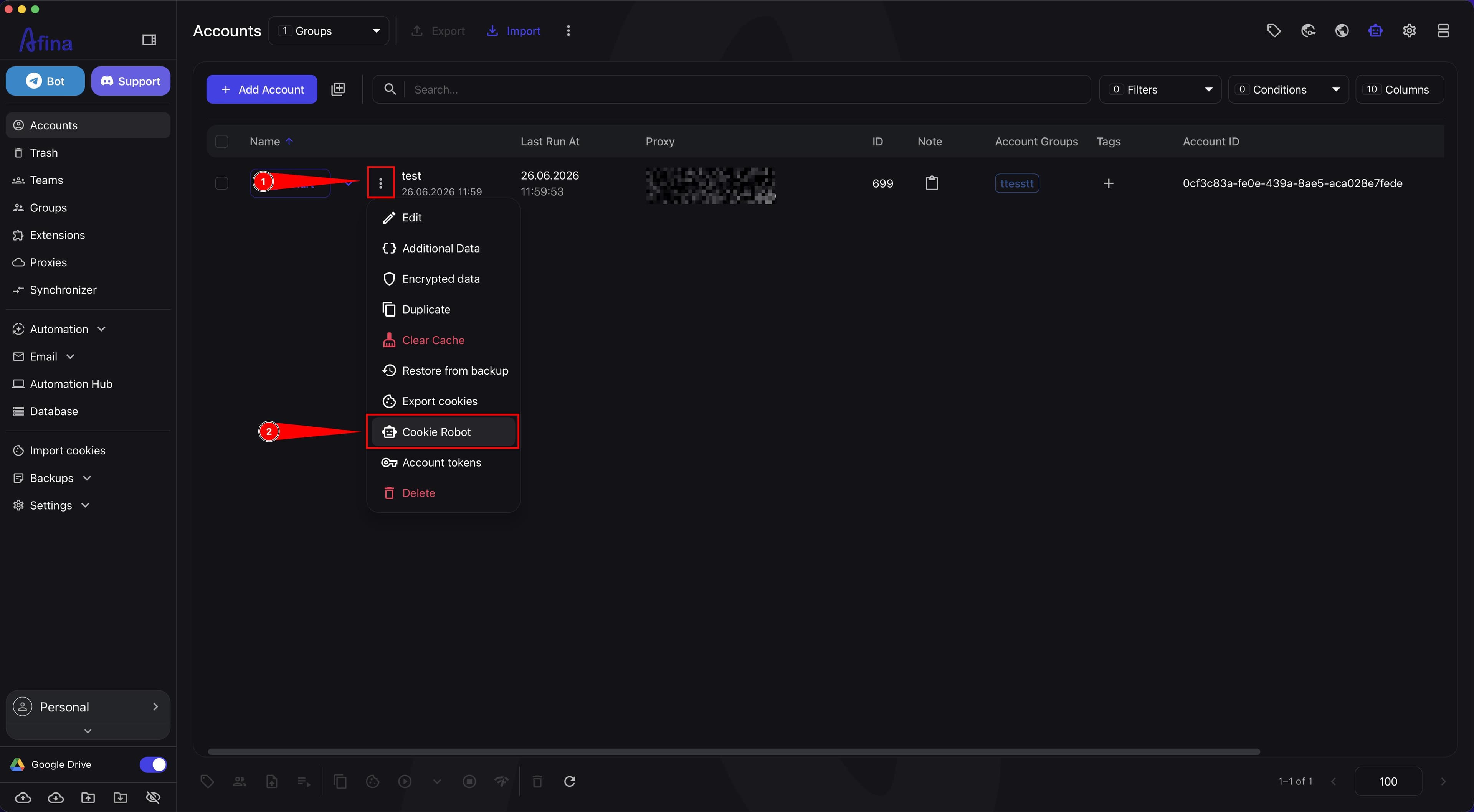
Go to the Accounts section.
-
Click the three-dot icon ⋮ in the row of the required profile.
-
Select Cookie Robot.
The screenshot below shows the Accounts page with the actions menu in the profile row and the Cookie Robot item.
-
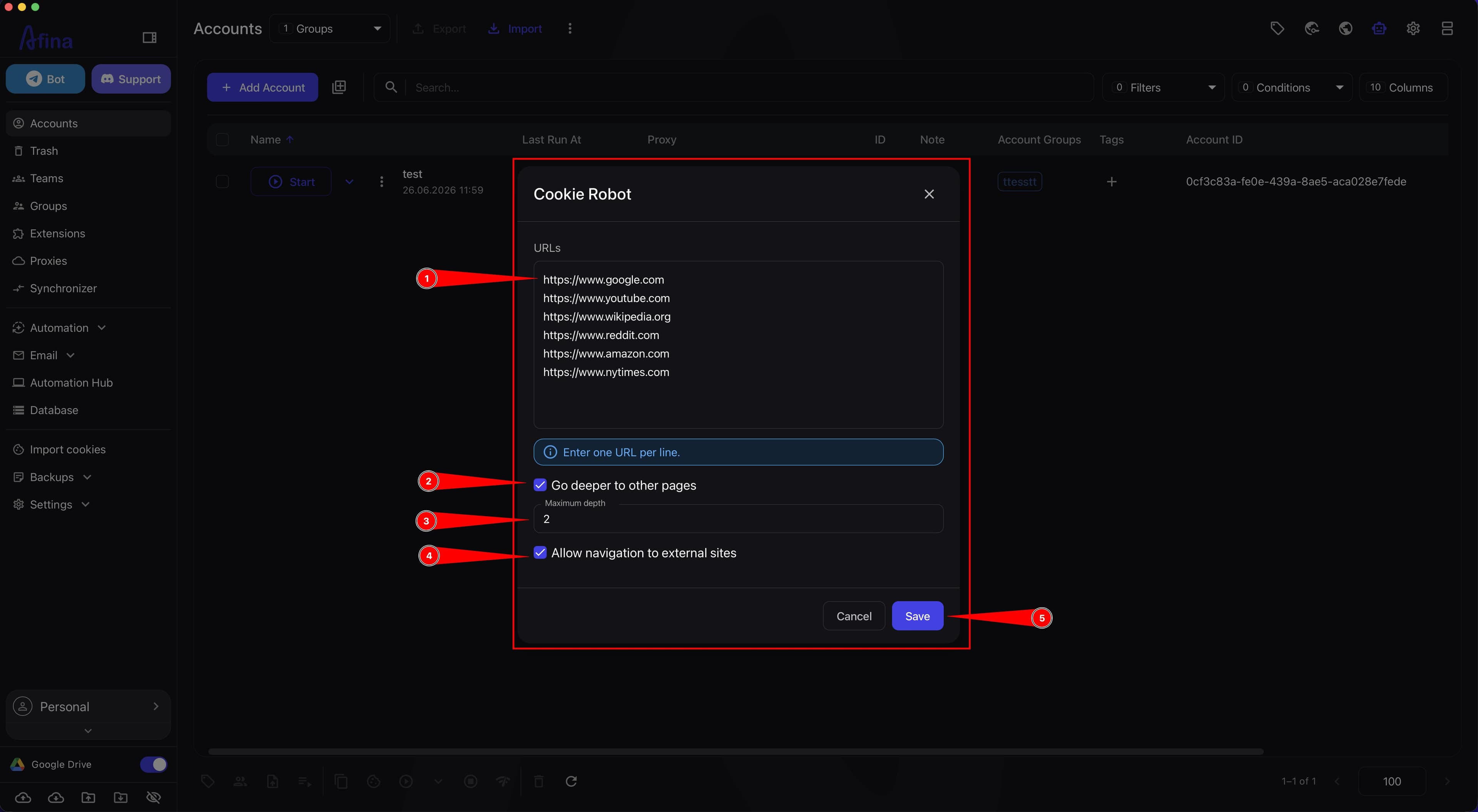
In the URLs field, paste the list of sites the robot should visit.
-
Put each link in the URLs field on a new line.
The URLs field must contain at least one URL. Each URL must include the http:// or https:// protocol, otherwise the system will show an error.
-
Enable the Go deeper to other pages checkbox if the robot should navigate not only to the home page, but also to internal links.
-
In the Maximum depth field, enter the number of internal transitions. The value must be an integer greater than
0, for example2or3. -
Enable the Allow navigation to external sites checkbox if the robot should navigate to other domains.
Deep transitions and navigation to external sites affect the volume and variety of collected cookies, but they can significantly increase the process duration. If you need quick basic warming, do not enable these settings unless necessary.
- If needed, use this list in the URLs field:
https://www.google.com
https://www.youtube.com
https://www.wikipedia.org
https://www.reddit.com
https://www.amazon.com
https://www.nytimes.com-
Click Save.
-
After you click Save, the system will create a Cookie Robot task, and the robot will start visiting the specified sites.
This screenshot shows the completed Cookie Robot window before clicking Save.
- Wait until the process is complete. Cookie Robot will collect and save cookies for the selected account.
If there are many sites, use depth 1-2 to avoid overloading the system. If you need to go through one site in more detail, you can set depth 3-4.
Typical errors: a URL without http:// or https://; the value 0 in the Maximum depth field; a text or non-numeric value in the depth field; trying to save settings without a URL.
Result#
After saving the settings, the system will create a Cookie Robot task, and the robot will automatically start visiting the specified sites. After the process is complete, Cookie Robot will collect and save cookies for the selected account.