Discord and X Token Login: A Step-by-Step Guide#
This guide shows where the token login function for Discord and X (Twitter) is located in Afina. You will learn how to open the required window, paste a token, and save it for the selected account.
Before You Start#
Before you begin, prepare a valid Discord or X (Twitter) token. Also open the Accounts section in Afina and find the account for which you want to add the token.
Opening the Tokens Window#
- Go to the Accounts section.
- Find the required account in the table.
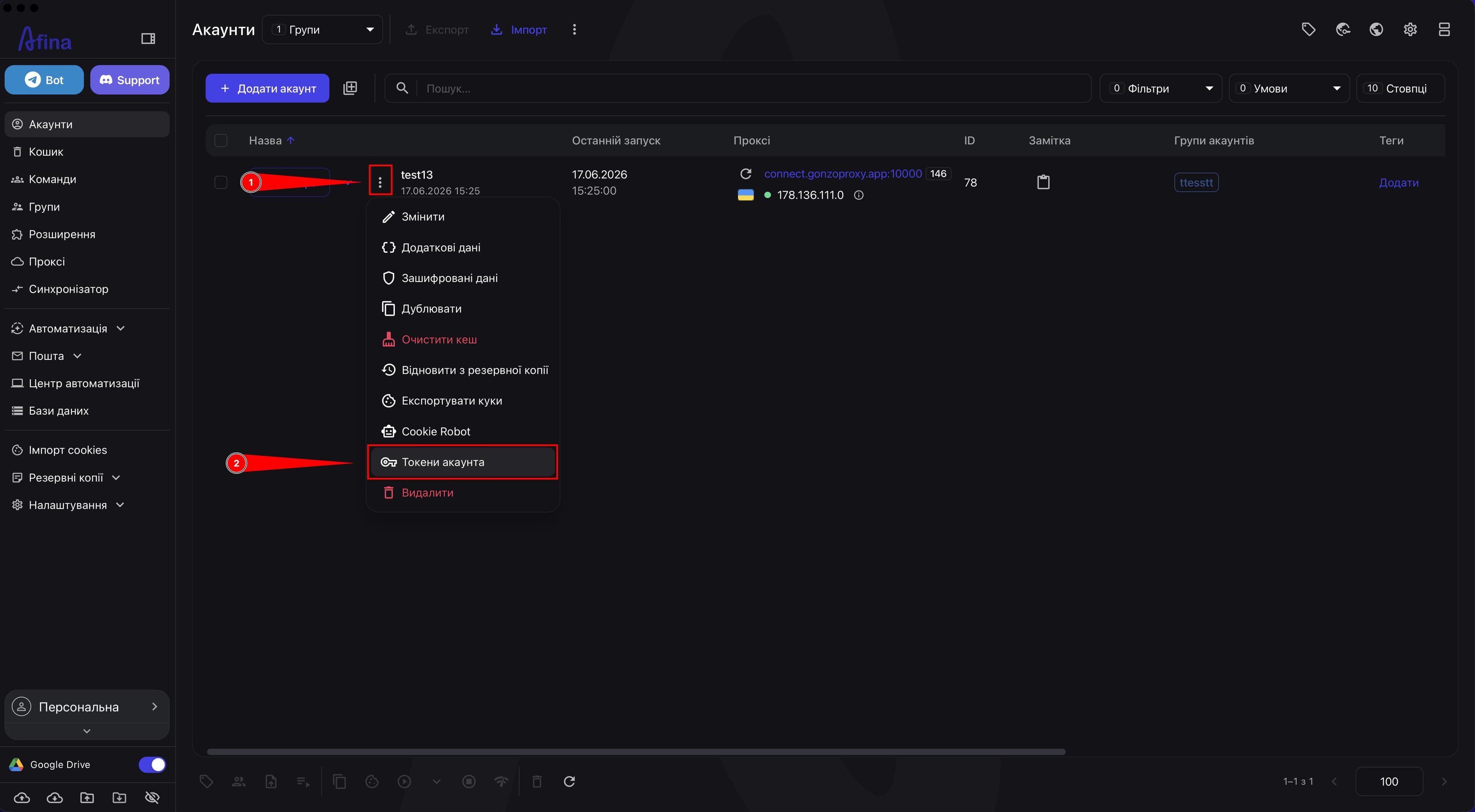
- Click the ⋮ icon in the row of this account.
- In the dropdown menu, select Account tokens.
The screenshot below shows the action menu in the account row. This is where you open the Account tokens item.
Adding a Token#
- In the "Account tokens" window, click the Discord token field if you want to add a token for Discord.
- Paste the token into the Discord token input field.
- Click the X (Twitter) token field if you want to add a token for X (Twitter).
- Paste the token into the X (Twitter) token input field.
- Click Save.
The screenshot below shows the "Account tokens" window with two separate fields for Discord and X (Twitter) tokens.
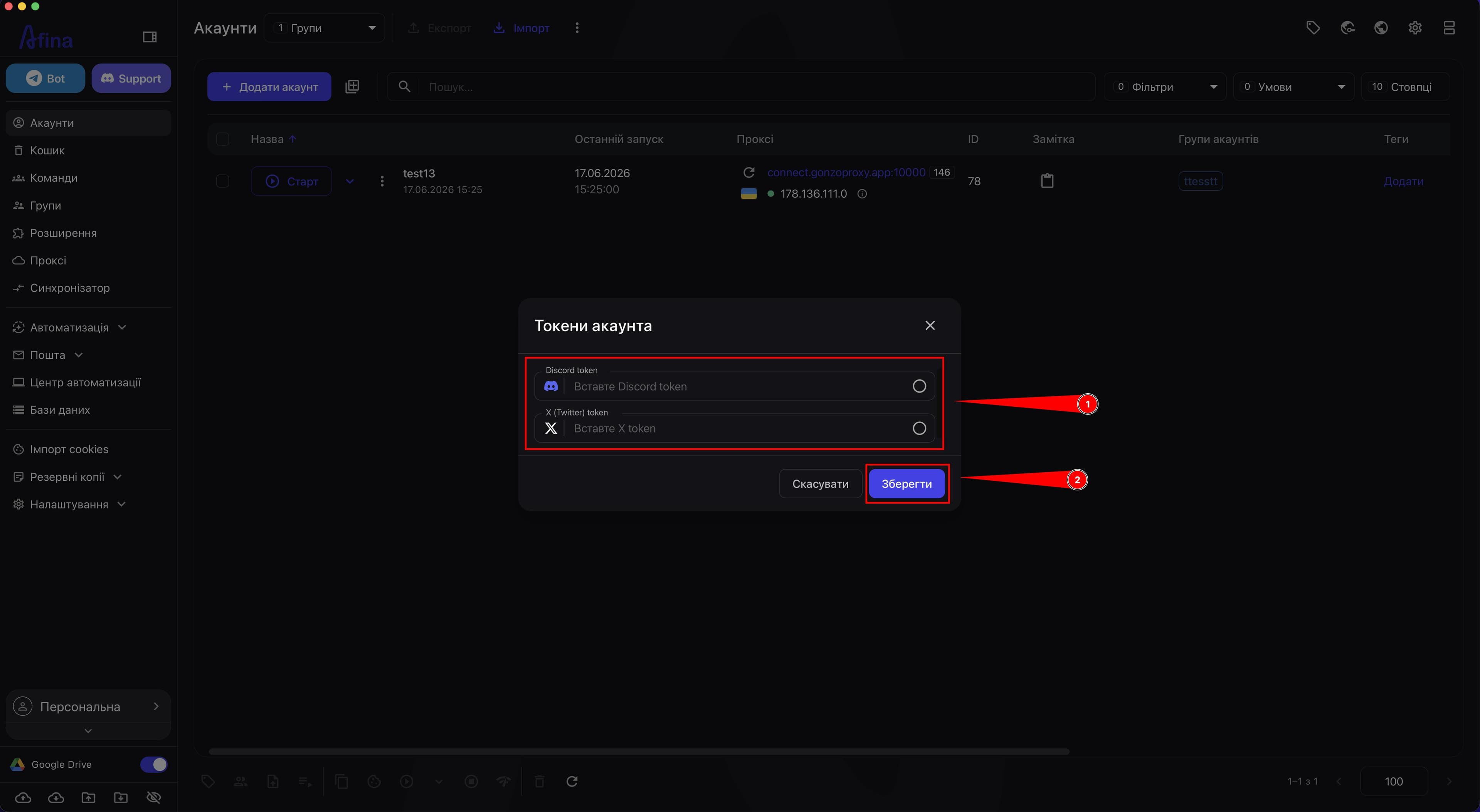
In this window, you can save a token for one service or for both services at once, depending on your account workflow.
What Happens Next#
After you save the token, simply open your account in Afina. The program will automatically log in to Discord or X (Twitter) depending on which token you added in the "Account tokens" section.
Bulk Token Clearing#
If you need to remove tokens from several accounts at once, you can do this through bulk actions in the table.
- Go to the Accounts section.
- Select the required accounts with checkboxes on the left side of the table.
- On the top panel, click the ⋮ icon.
- In the dropdown menu, select Clear tokens.
The screenshot below shows the selected account in the table and the bulk actions menu with the Clear tokens item.
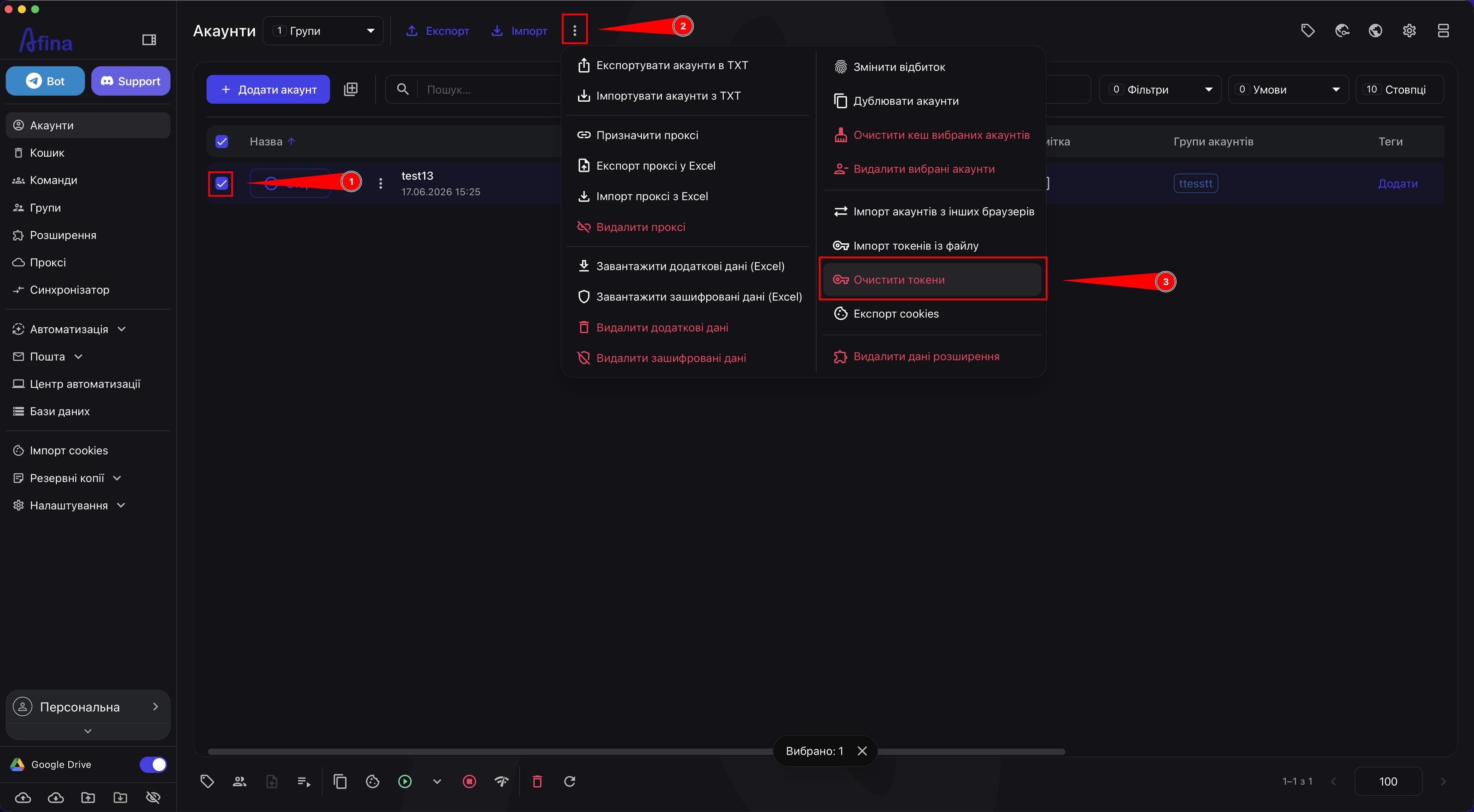
This action removes tokens from all selected accounts, so before confirming, check that the checkboxes mark exactly the records you need.
Result#
After saving, the token will be linked to the selected account in Afina, and you will be able to use token login for Discord or X (Twitter) through this new function. If needed, tokens can also be cleared in bulk for several selected accounts through the top action menu.