Restoring an account from a backup#
The "Restore from backup" feature lets you return an account to one of its previously saved states. This is a full account rollback that helps restore tabs, the session, and other data if they were accidentally lost or damaged.
Restoring replaces the current account data with the data from the selected backup. Before confirming, make sure you have selected the correct version by date and time.
Restoring an account#
This section shows how to restore a specific account from an existing local backup.
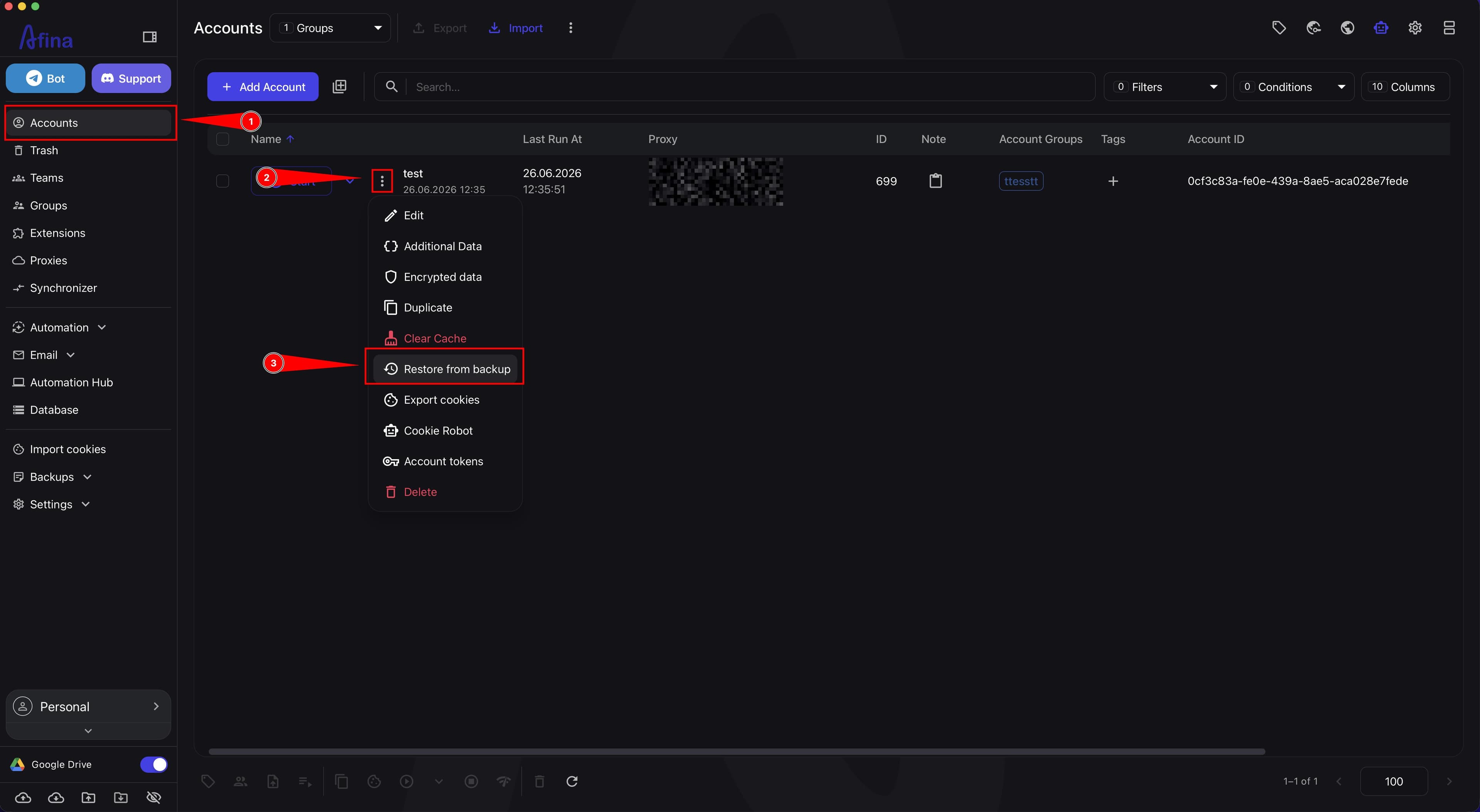
- Go to the Accounts section.
- Click the ⋮ icon in the row of the required account.
- Select Restore from backup.
In the account actions menu, select Restore from backup.
- In the "Profile backups" window, find the required version by date and time.
- Click Restore next to the required backup.
- Click Confirm in the modal window.
Use the creation date and time to identify the right backup in the list.
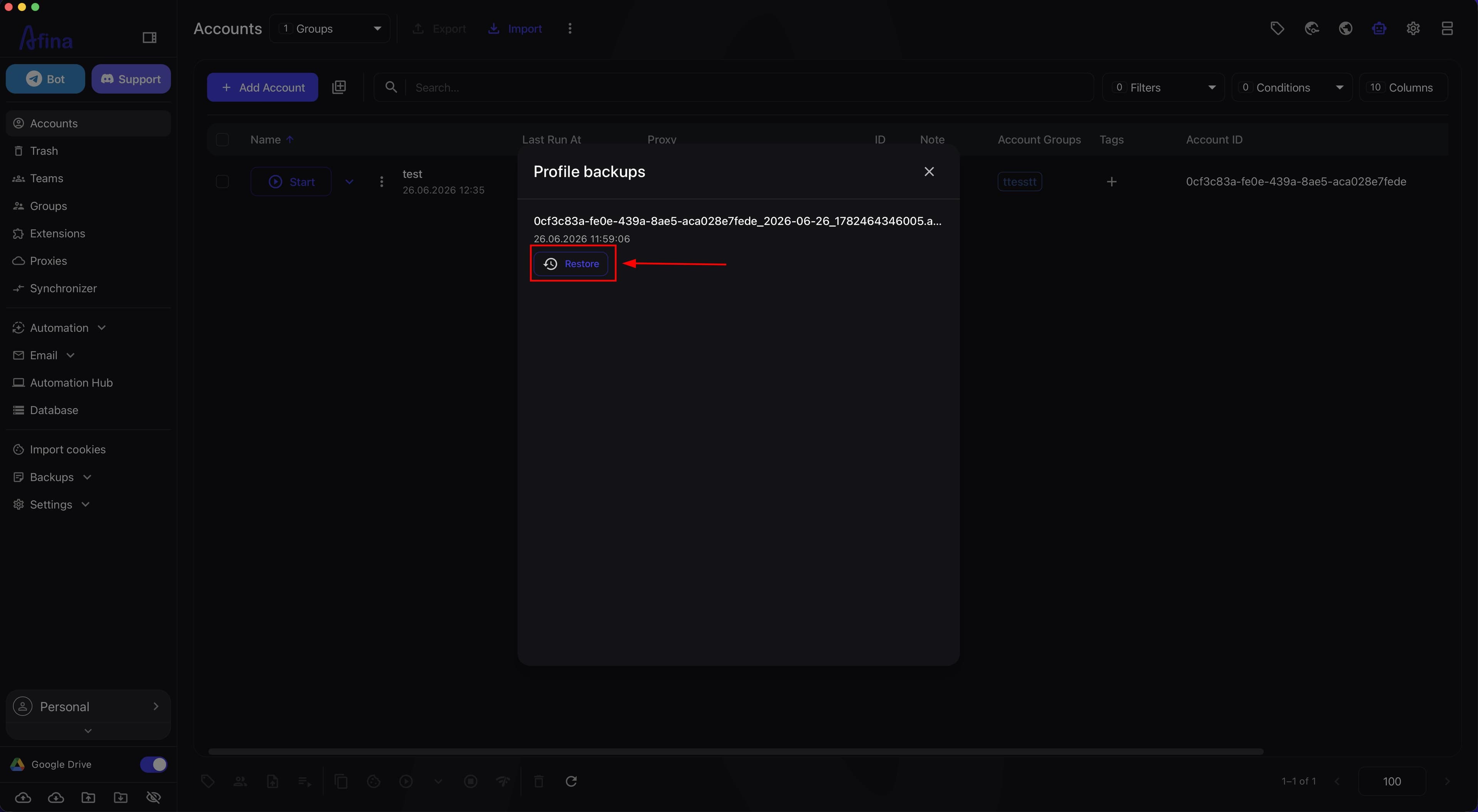
After confirmation, Afina will start restoring the account from the selected backup. This may take some time, depending on the backup size and the amount of data.
Backup settings#
Afina creates local copies automatically, but you can control their quantity and frequency in the core settings.
- Click the gear icon in the upper-right corner.
- Select Afina Core Settings.
- Open the "Security" tab.
- Find the "Local backup" block.
- In the "Max archives per day" field, specify how many copies of one account can be created per day.
- In the "Max days to keep backups" field, specify how long old archives should be stored on the PC.
- In the "Minimum interval between backups (hours)" field, specify the pause between automatic creation of new copies.
- Click Save changes at the bottom of the page.
After changing the parameters, save the settings using the Save changes button at the bottom of the page.
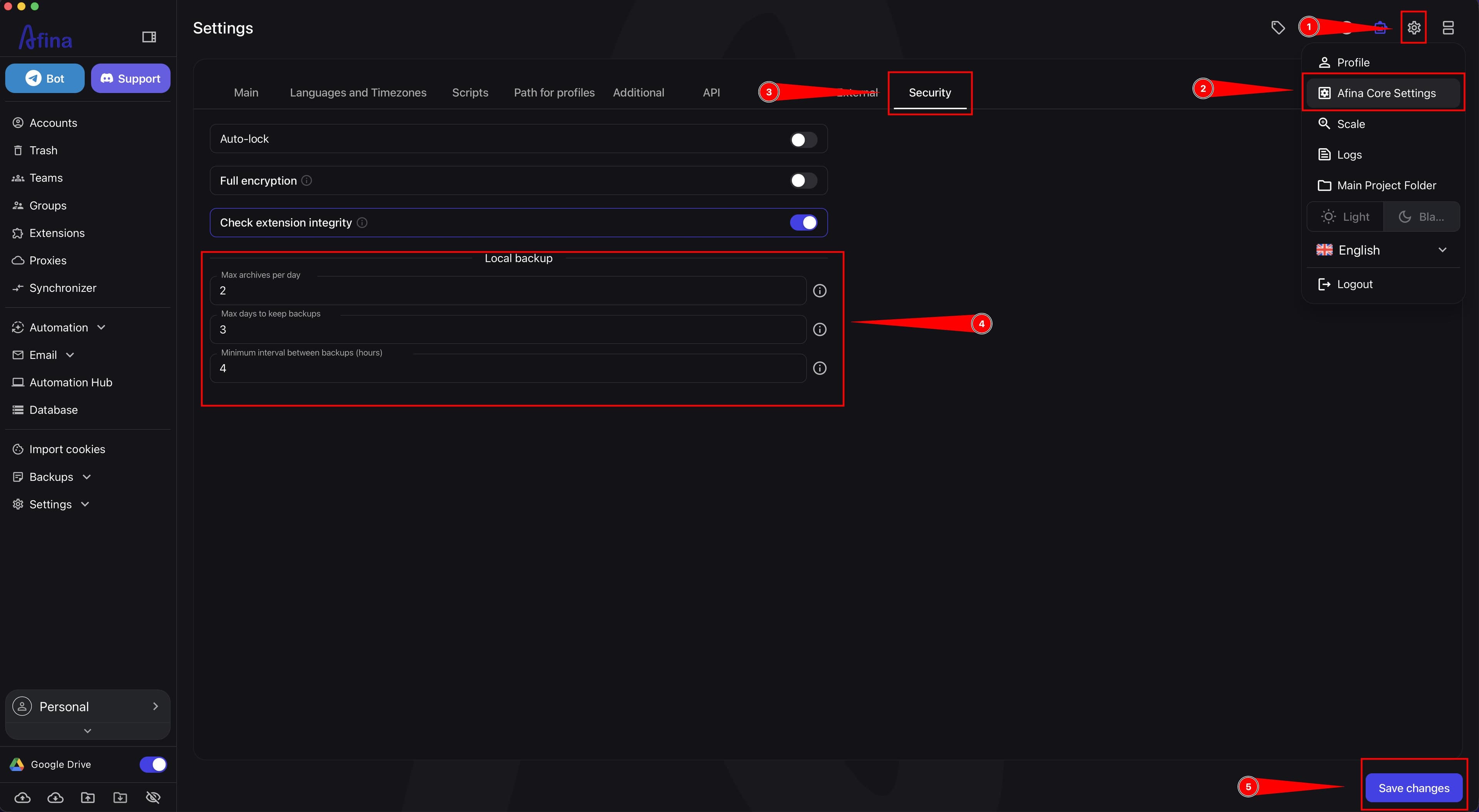
The parameters in the "Local backup" block help limit the number of local copies, their storage duration, and the frequency of automatic creation. To fully disable daily local backups, enter 0 in all three fields of this block and save the changes.
Result#
After completing these steps, you will be able to restore an account from the required backup and configure automatic local backup creation rules in Afina.