How to get the "athenian" role in Discord#
To get the “athenian” role in Discord, you need to link Telegram to Afina.
Why link Telegram#
After linking Telegram, you receive:
🎁 A $9 Afina bonus
For linking Telegram to your account.
🔔 Important notifications via the Telegram bot
The bot sends notifications about updates, promotions, discounts, and giveaways.
🟡 Get the “athenian” role in Discord
Linking Telegram is required to receive the role.
What the “athenian” role provides#
The “athenian” role gives you:
- access to scripts and modules;
- access to the full Discord server;
- access to full support.
How to link Telegram and Discord#
-
Open Afina and sign in to the application.
-
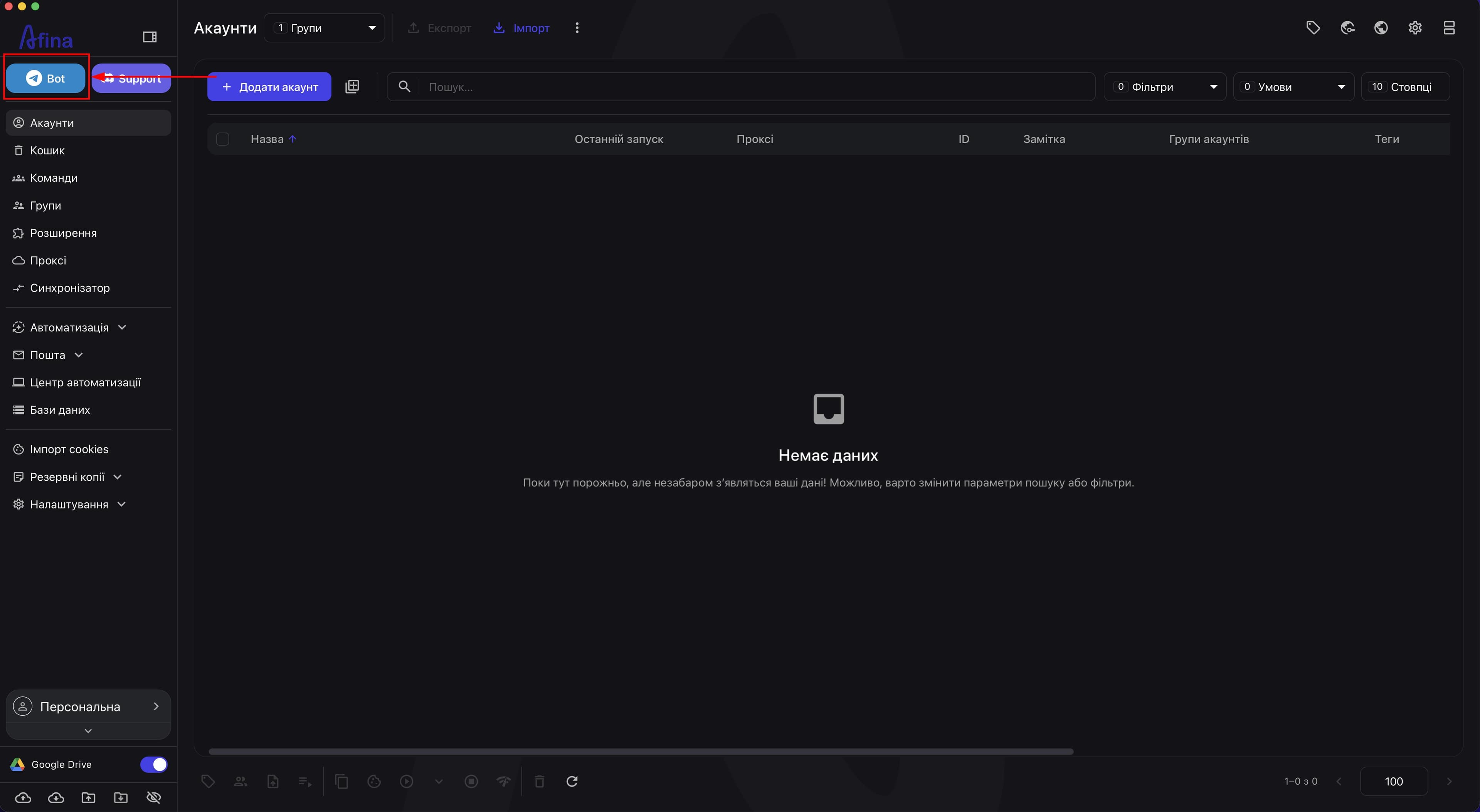
Click the Telegram icon labeled “Telegram Bots” in the upper-left corner.
-
You will be redirected to the Telegram bot in Telegram.
-
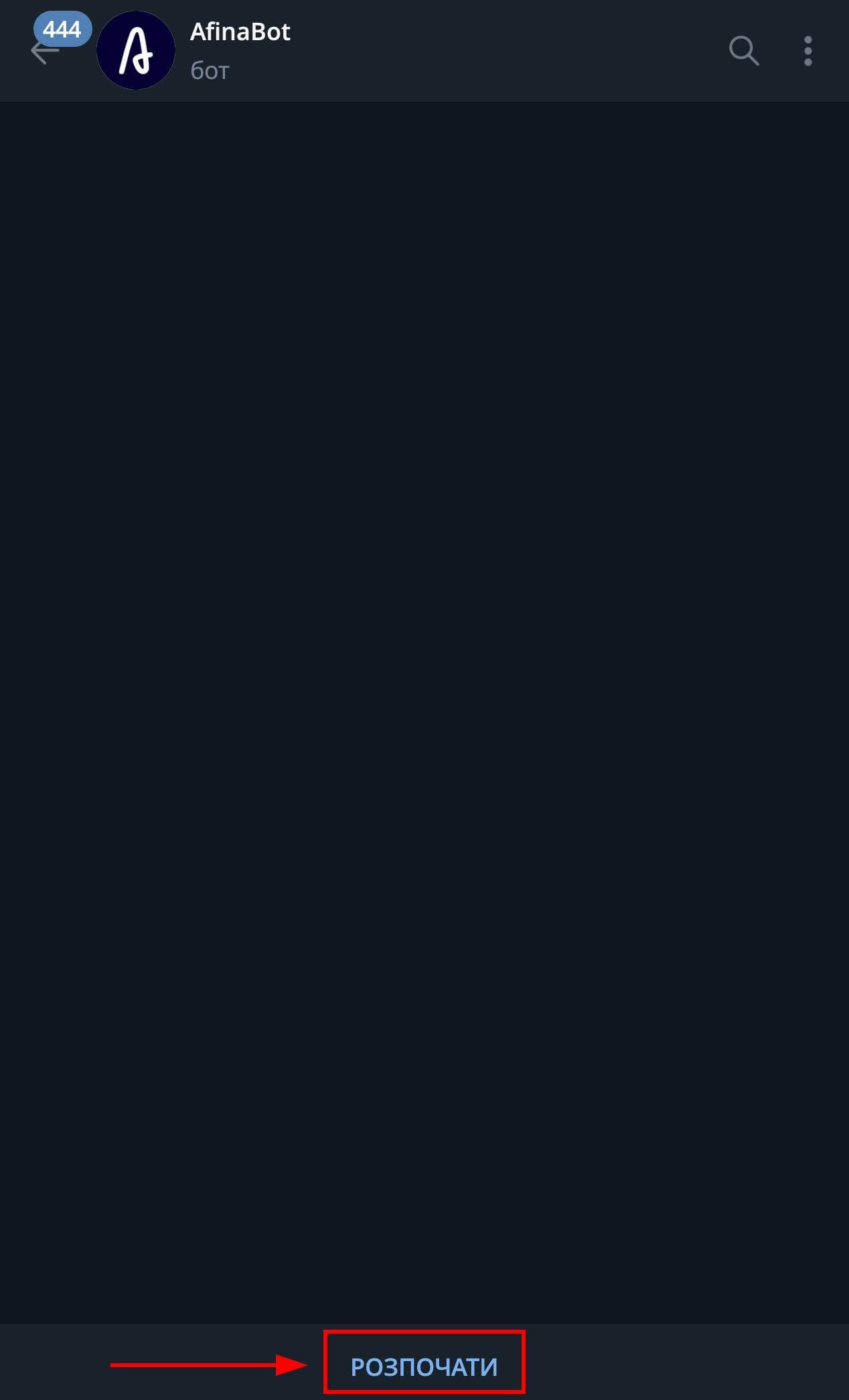
Click “Start”.
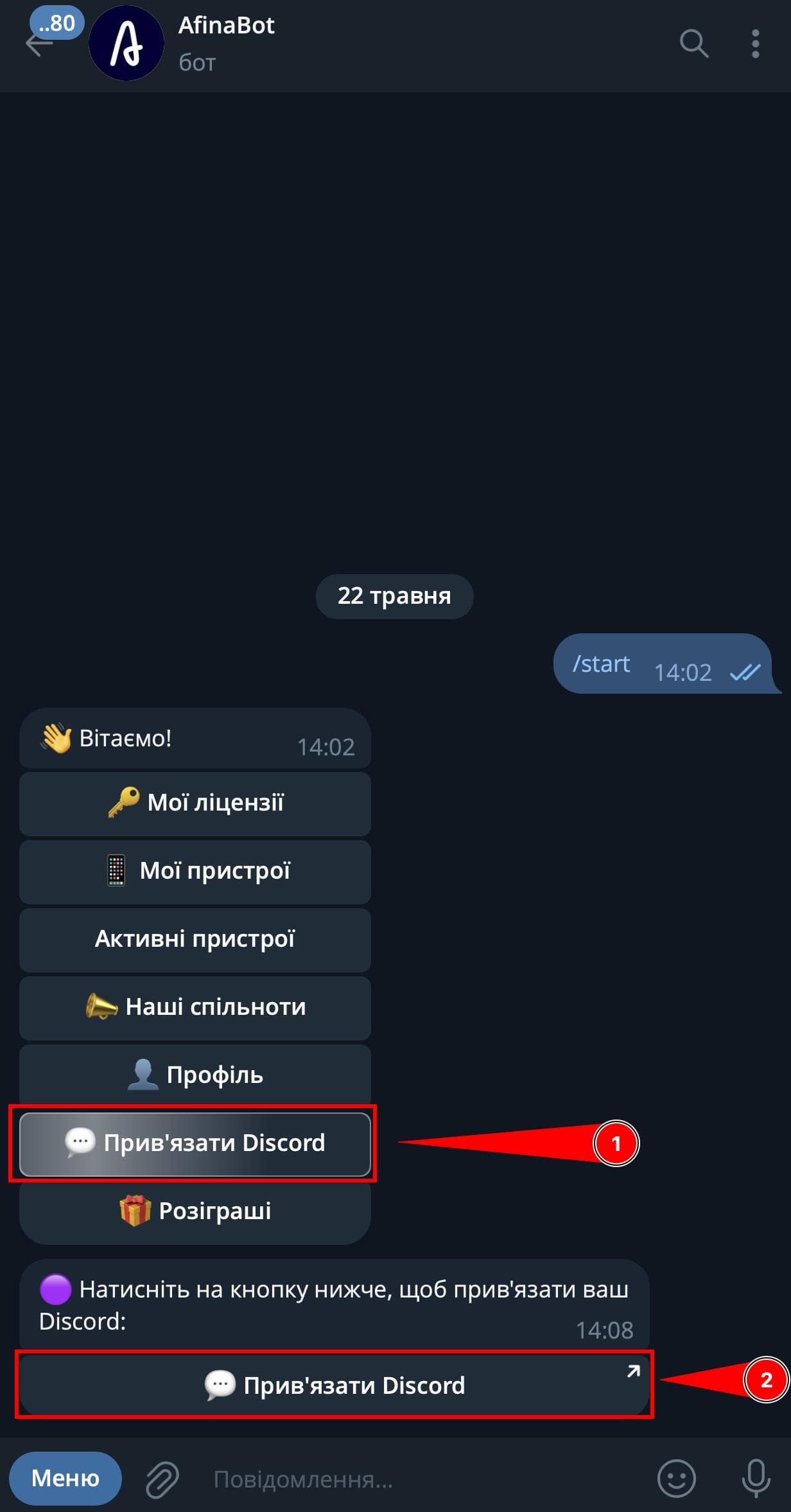
- In the bot, click “Discord”.
- You will be redirected to Discord, where you need to click “Approve”.
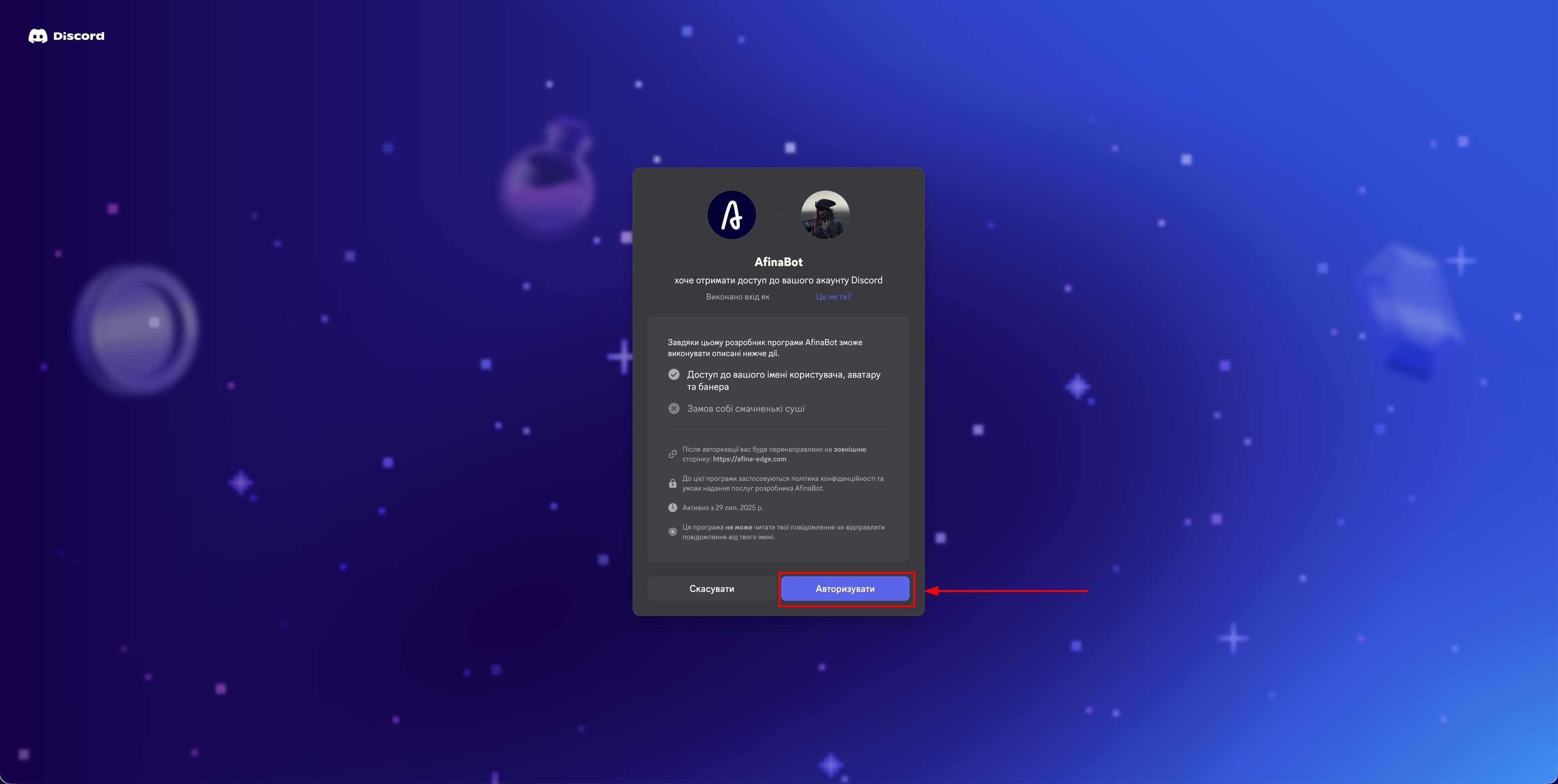
You will then receive the “athenian” role in Discord.