How to buy Afina or renew your license#
You can buy or renew an Afina license in three ways. In each case, the result is the same: the subscription is linked to your email.
Before you start#
Before you start, make sure you have access to the email linked to your Afina account.
- To buy through the app, you must be authorized in Afina.
- To buy through the website, you need to sign in at
afina.io. - To buy through the Telegram bot, your Telegram must be linked to your Afina account through the Profile on the website.
Through the app#
This method is suitable if you are already authorized in Afina and want to quickly go to your Profile.
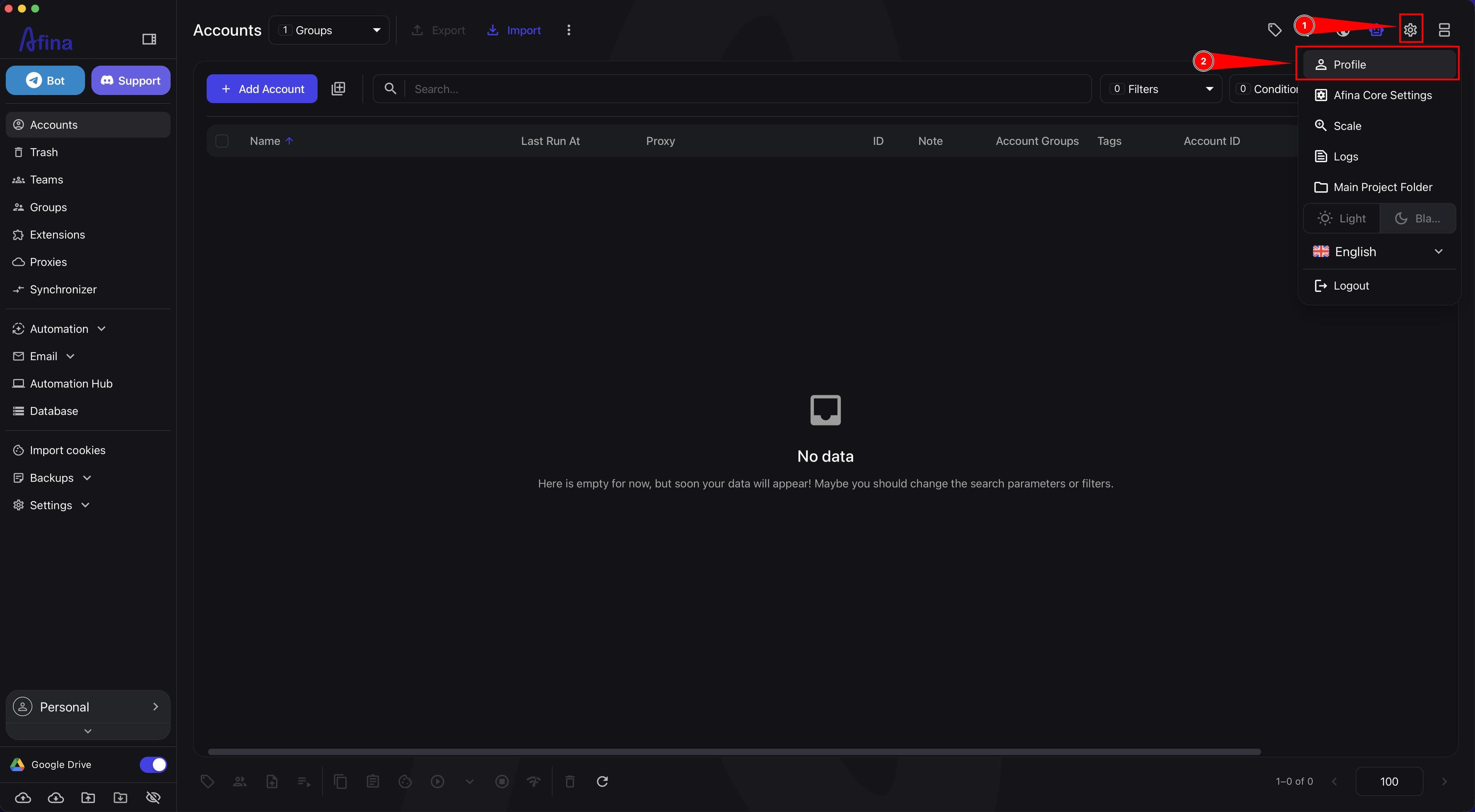
- Click the gear icon in the upper-right corner.
- Select Profile.
The screenshot below shows the profile menu with the gear icon in the upper-right corner and the Profile item.
- Wait until the browser opens the
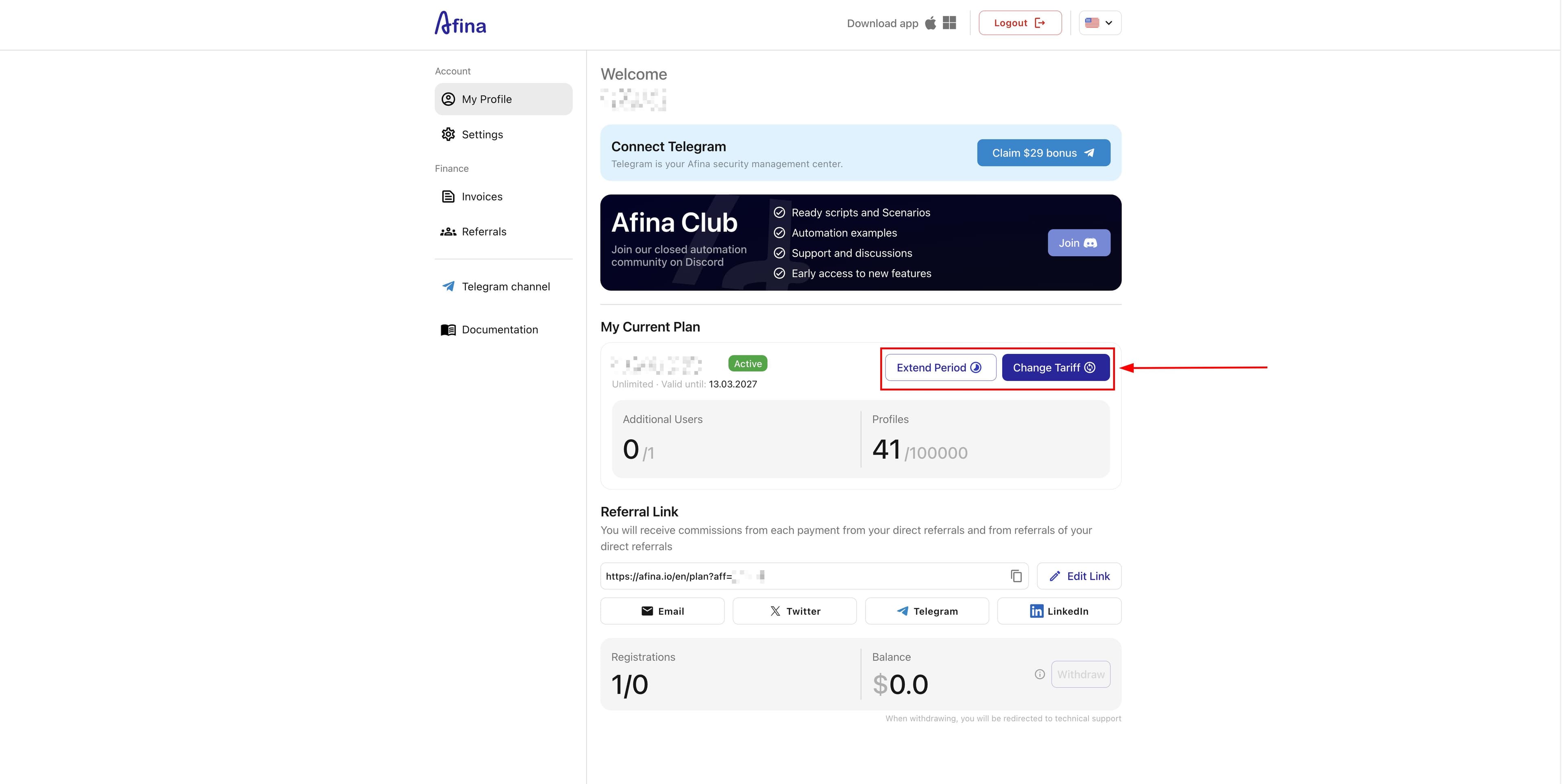
afina.iowebsite. - In your Profile, select the action you need.
- Click Renew if you want to renew your current license.
- Click Enhance subscription if you want to switch to another plan.
The screenshot below shows the Profile on the afina.io website with the Renew and Enhance subscription buttons.
Through the website#
This method is suitable for the first purchase.
- Open the
afina.iowebsite. - Sign in or register with your email.
- Go to the plans section.
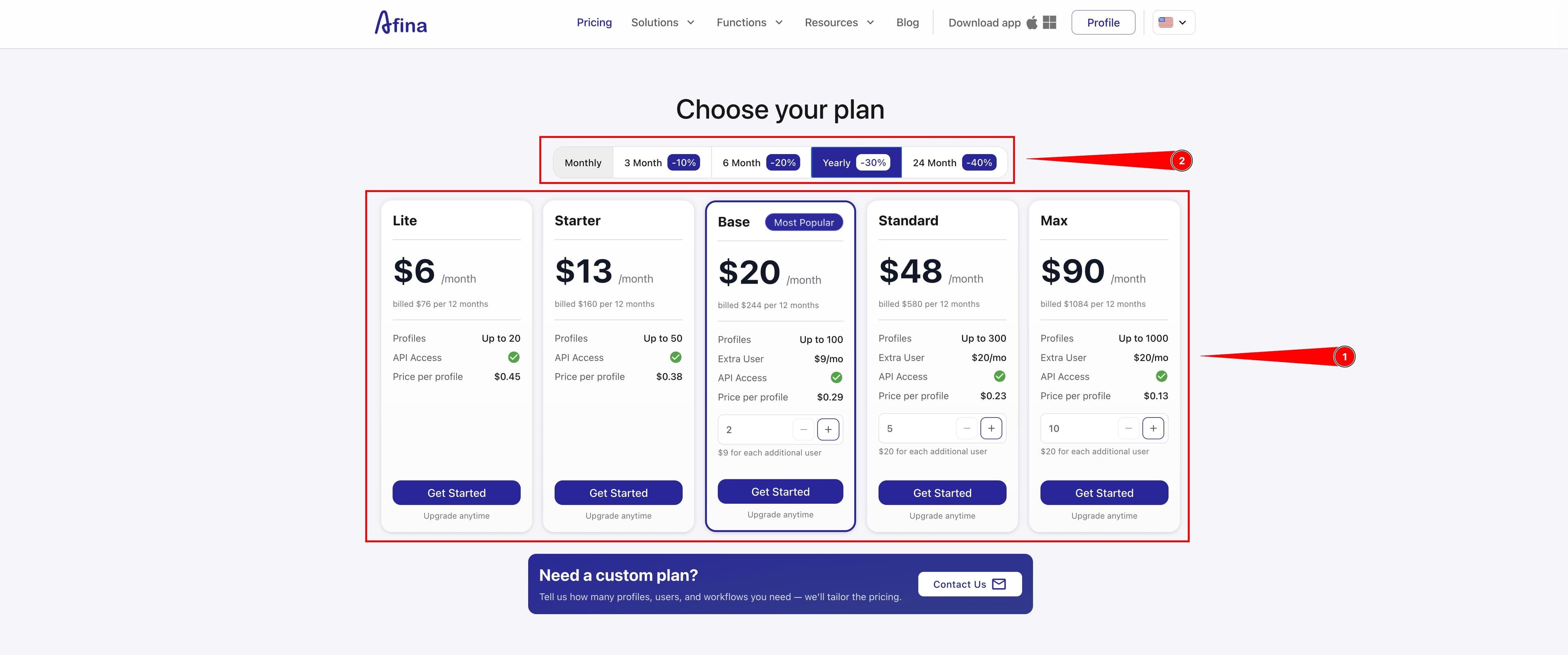
- Select one of the plans: Lite, Starter, Base, Standard, or Max.
- For the Base, Standard, or Max plans, also select the number of users.
- Select the subscription period: 1, 3, 6, 12, or 24 months.
The screenshot below shows the plans page on the afina.io website, where Lite, Starter, Base, Standard, and Max are available, along with subscription period selection.
- Click Start under the plan you need.
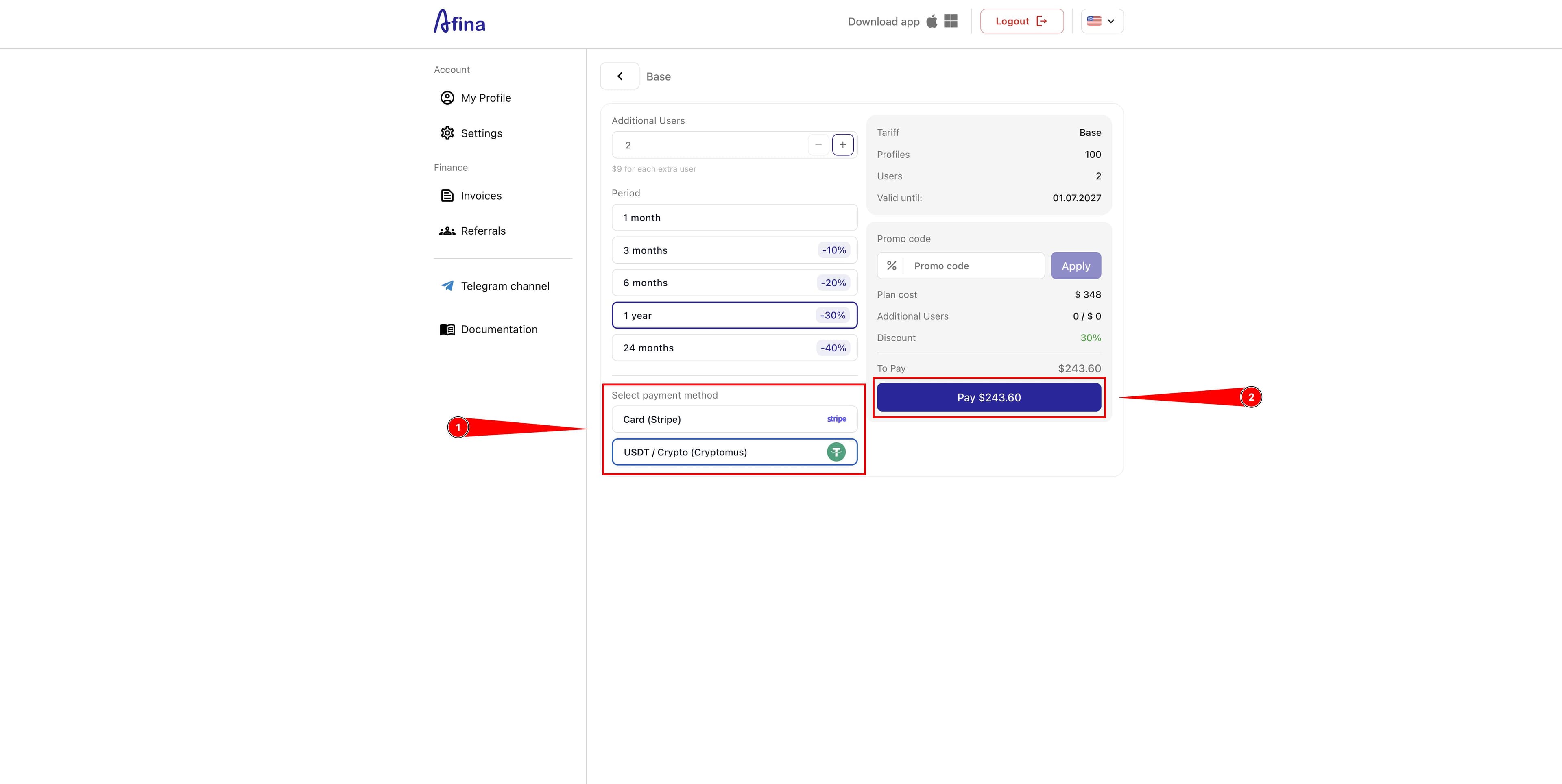
- Select a payment method.
- Click Pay.
The screenshot below shows the checkout page for the selected plan with the payment methods block and the Pay button.
After payment, the license will update automatically.
Through the Telegram bot#
This method is convenient for quick payment if you are not working on a PC. Linking the Telegram bot to your Afina account is done through the Profile on the website.
- Make sure your Telegram is linked to your Afina account.
- Open the Telegram bot menu.
- Select license payment.
- Select the plan you need.
- Select the subscription period.
- Select a payment method in the Telegram bot.
- Pay for the license using the selected payment method.
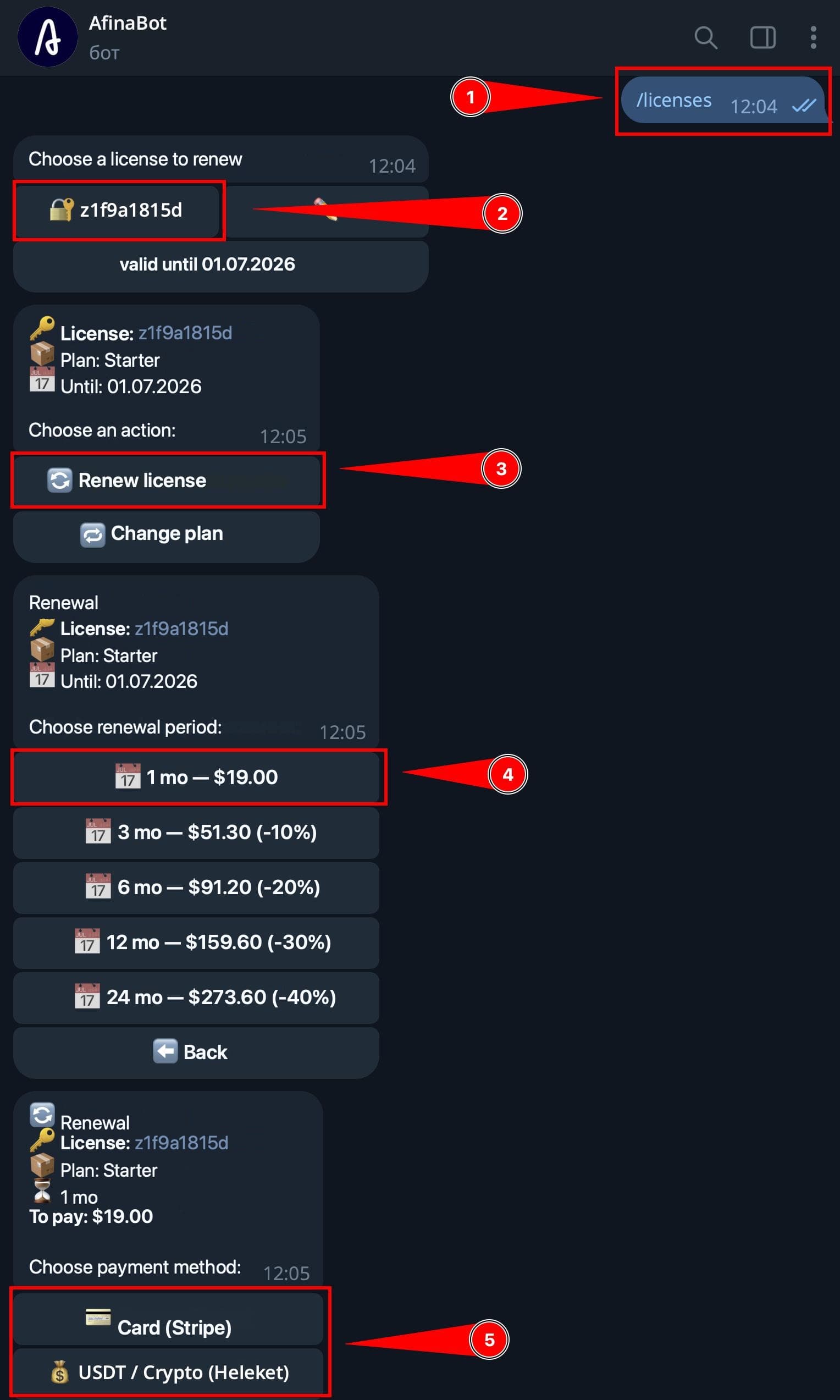
The screenshot below shows a dialog in the Telegram bot with license selection, action selection, renewal period, and payment method.
Changing the plan#
If you change your license before the already paid period ends, Afina recalculates it using the SaaS crediting principle. The remaining value of unused days does not disappear, but is converted into days for the next plan.
- Open your Profile.
- Click Enhance subscription.
- In the "Enhance subscription" window, select a new plan.
- Check that the system has counted the value of the unused days of the current plan.
- Check the new expiration after recalculation.
- Click Save changes.
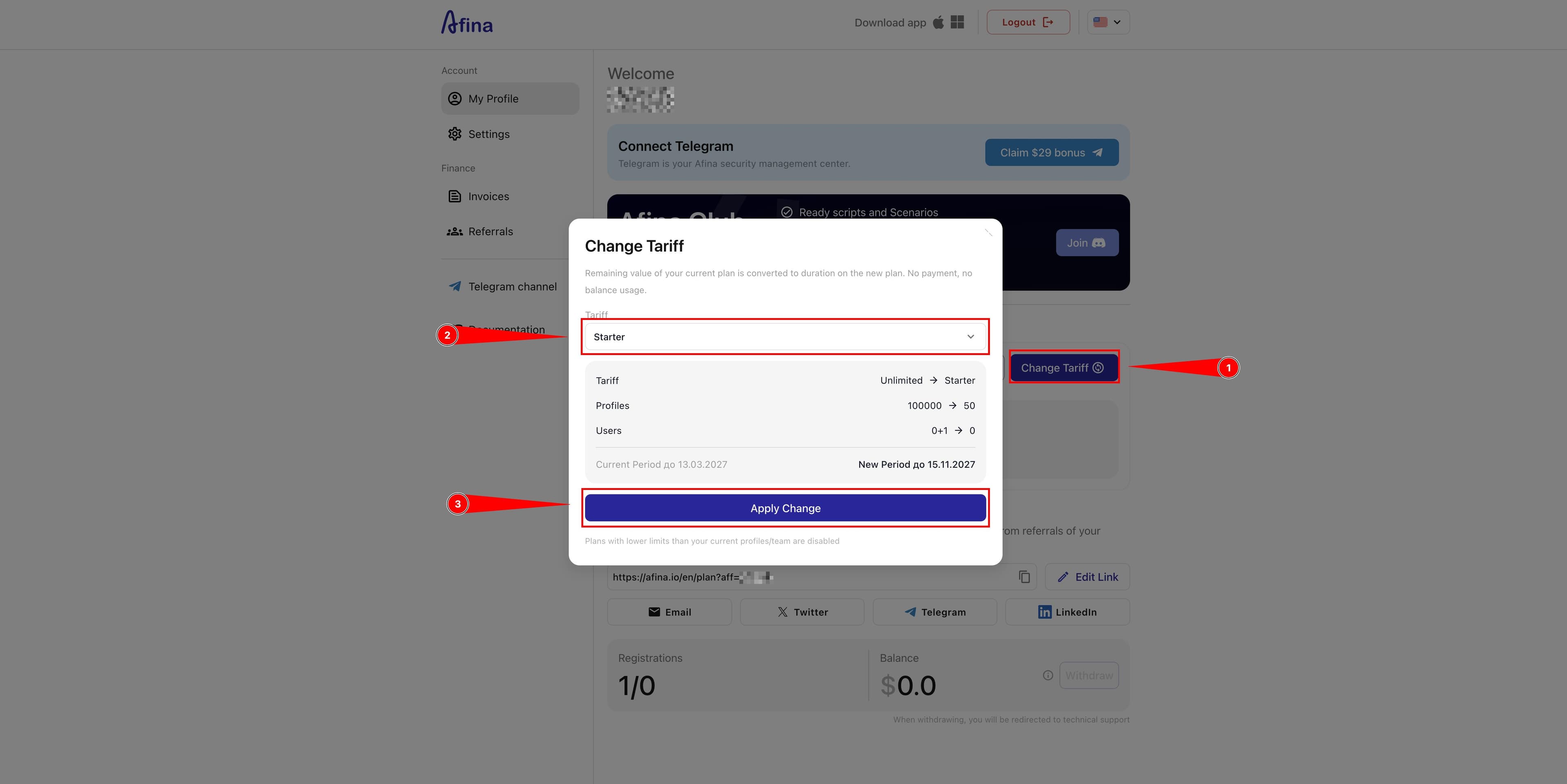
The screenshot below shows the "Enhance subscription" window, where a new plan is selected and the new expiration after recalculation is displayed.
If you bought an annual plan with a 30% discount and decided to change the plan after one month, the discount is not carried over to the transition period. You receive days at the new rate.
Promo codes and discounts#
Discounts in Afina work as a loyalty bonus and depend on the payment duration or the availability of an active promo code.
- During a new payment, select the subscription duration.
- Note that discounts from 10% to 40% are activated automatically if you choose to pay immediately for 3, 6, 12, or 24 months.
- During a new payment, find the field for the promo code.
- Enter an active promo code if you have one.
- Check the final price before payment.
- Note that Afina gives a $29 bonus for the first linking of the Telegram bot.
For the discount to apply again when renewing the license, you need to either enter a new promo code or select a long subscription period again.
Result#
After completing these steps, you will be able to buy Afina or renew your license through the app, website, or Telegram bot. The subscription will be linked to your email, and when changing the plan or paying again, you will be able to use promo codes and available discounts.