Setting up a Telegram bot for Afina#
This guide shows how to create a Telegram bot, connect it to Afina, and activate notifications for your chat. After that, Afina will be able to send messages to the selected Telegram chat through the bot.
Before you start#
Before you start, you need to have Telegram installed and access to your Afina.
Creating a Telegram bot#
- Open Telegram.
- In the “Search” field, enter
@BotFather. - Open the chat with @BotFather.
- Click Start.
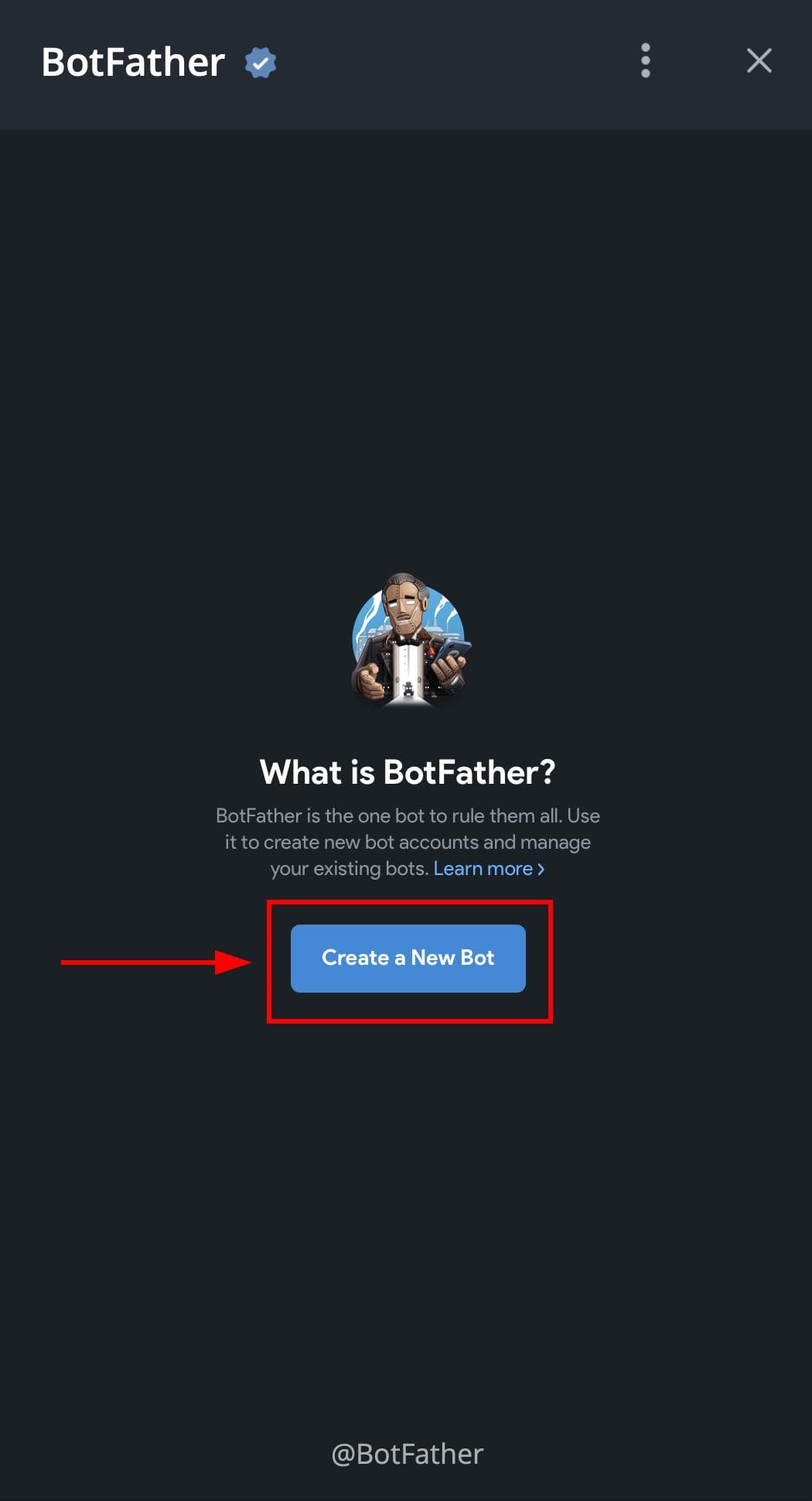
- Click Create a New Bot.
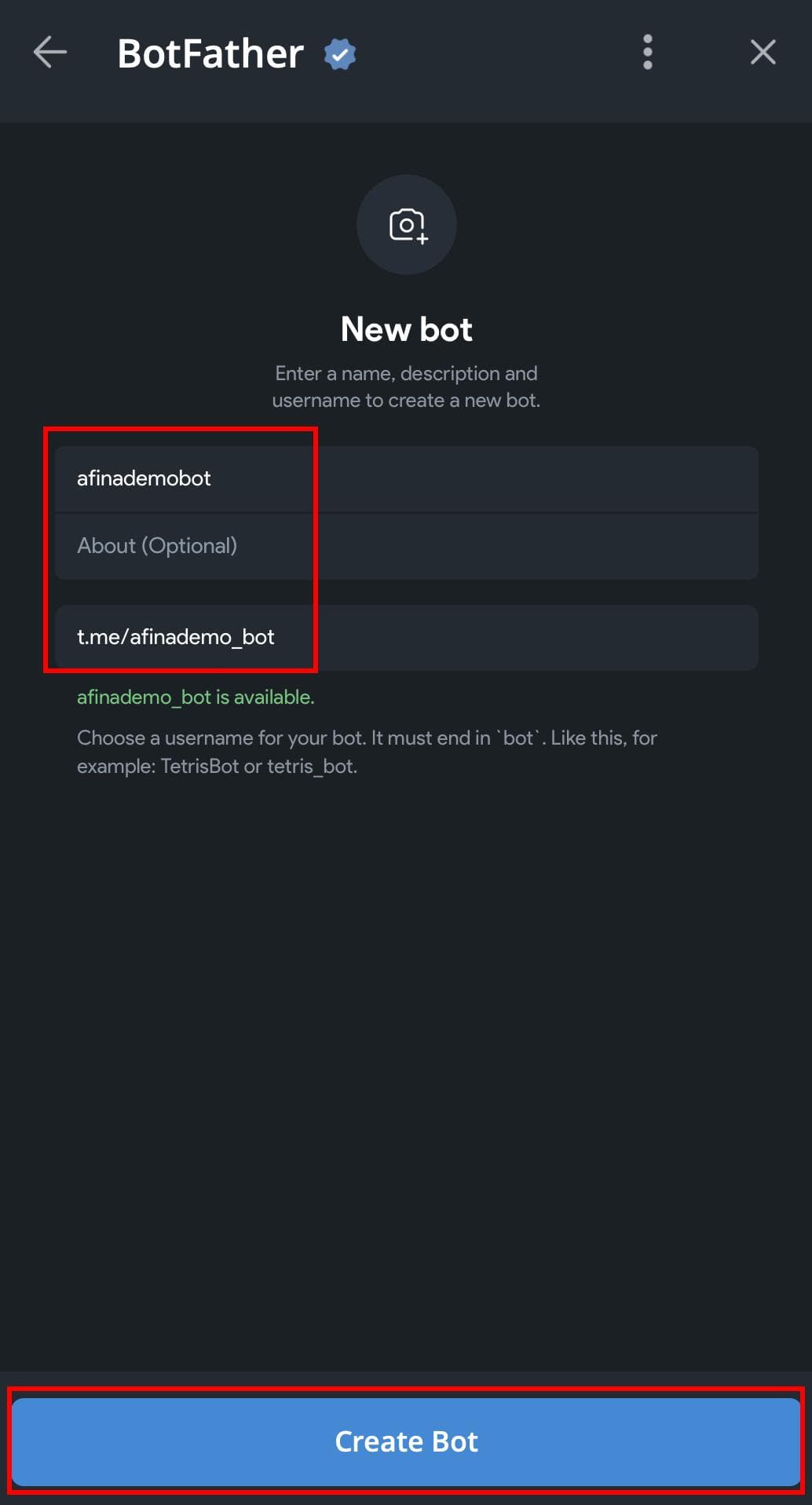
- In the upper field, enter the bot name.
- In the lower field, enter the bot’s unique username.
- Click Create Bot.
The screenshot below shows an open chat with @BotFather, where the Create a New Bot button is available.
The next screenshot shows the New bot form with fields for the name, description, and username, and the Create Bot button.
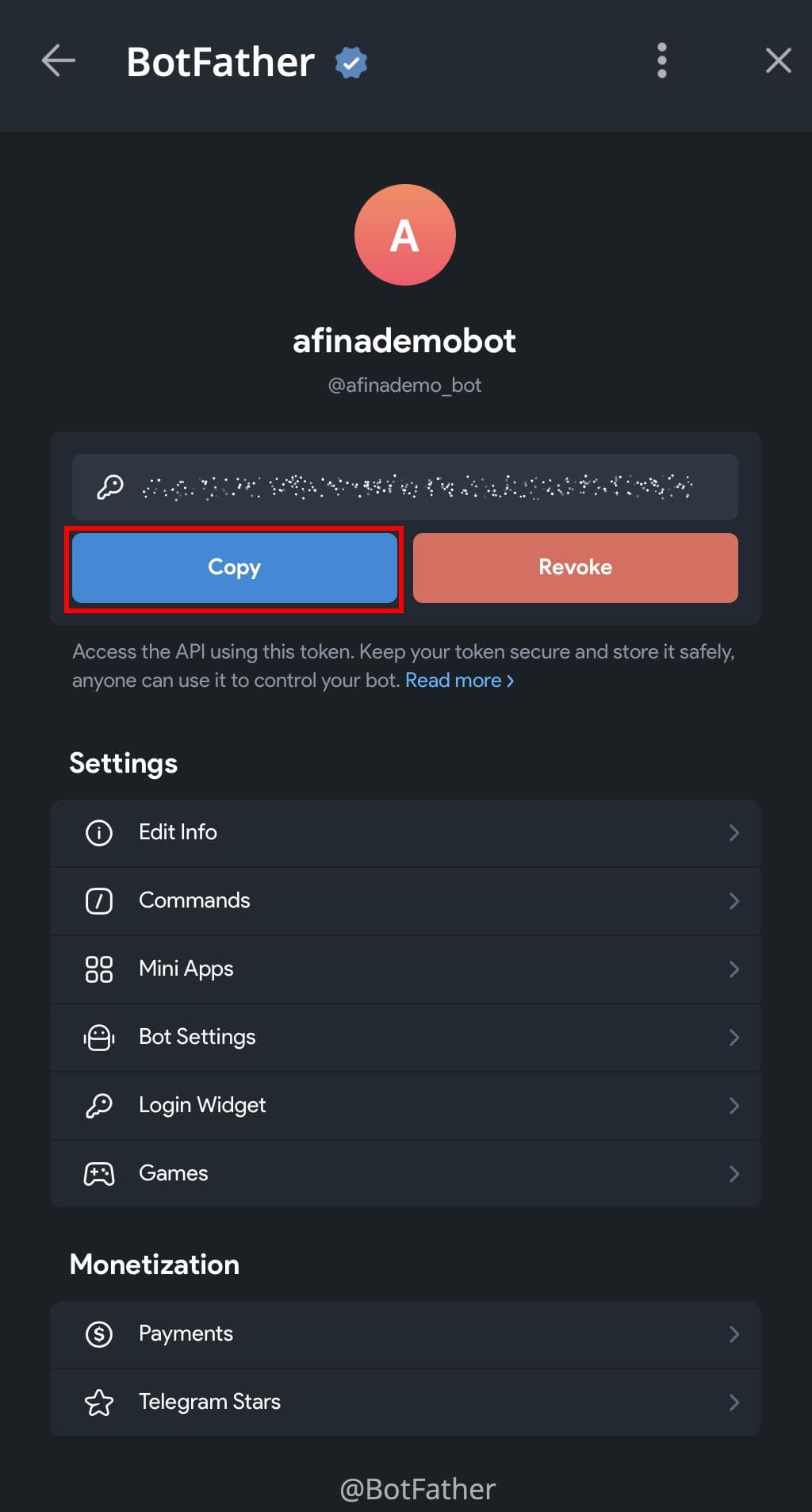
- After creating the bot, open its settings.
- Click Copy next to the API token.
The screenshot below shows the created bot page with the Copy button for copying the API token.
Connecting Telegram in Afina#
- In the upper-right corner of Afina, click the settings icon.
- In the drop-down menu, select Afina Core Settings.
- In the “Afina Core Settings” window, open the API tab.
The screenshot below shows the transition to Afina Core Settings, the open API tab, the “Telegram API Key” field, and the “Enable Telegram” toggle.
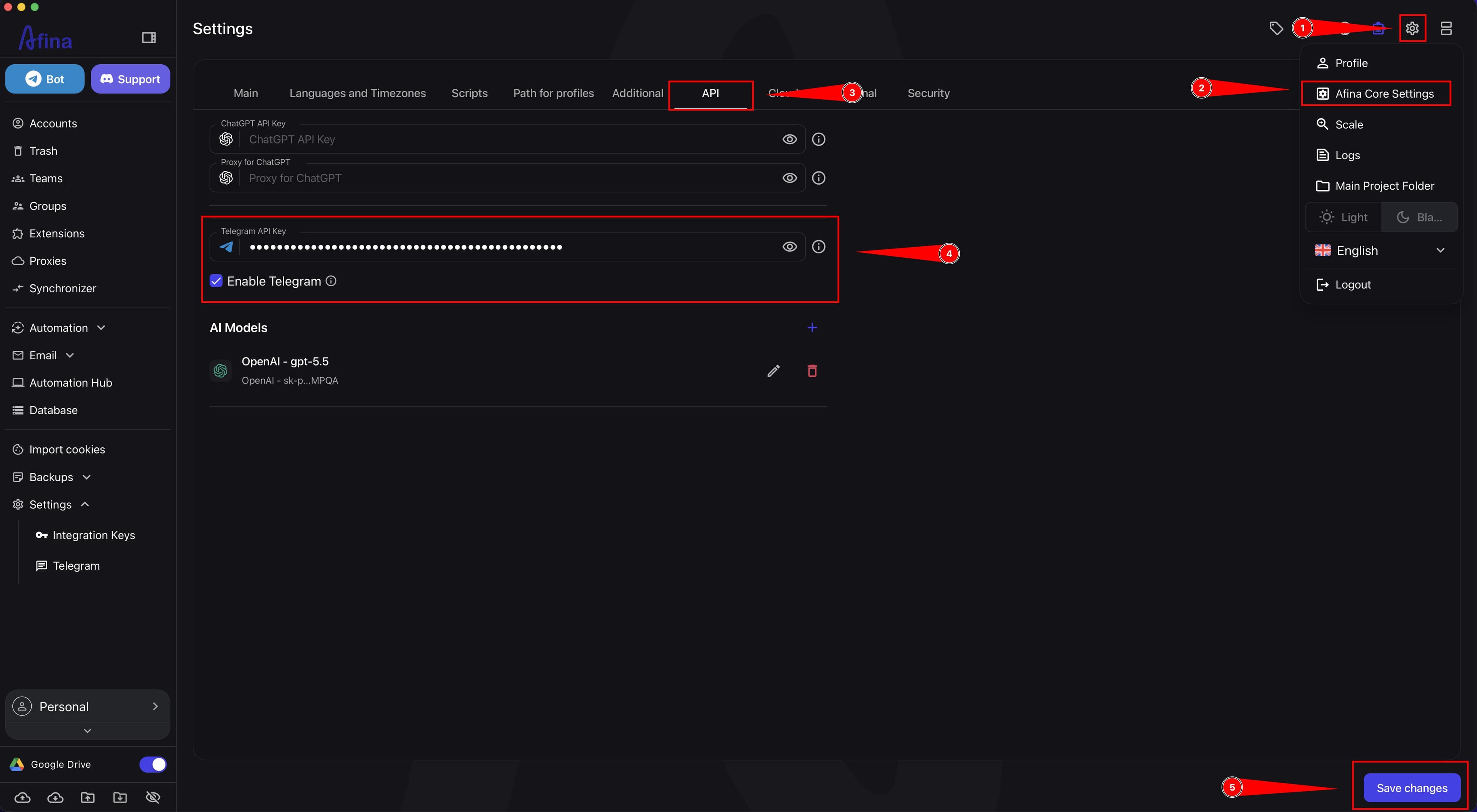
- In the “Telegram API Key” field, paste the token you copied in Telegram.
- Only after pasting the token, enable the “Enable Telegram” toggle. If you enable Telegram before adding the key, the bot will not be authorized.
- Click Save changes.
Getting the chat ID#
- Return to Telegram.
- In the “Search” field, find the created bot by its username.
- Open the chat with the bot.
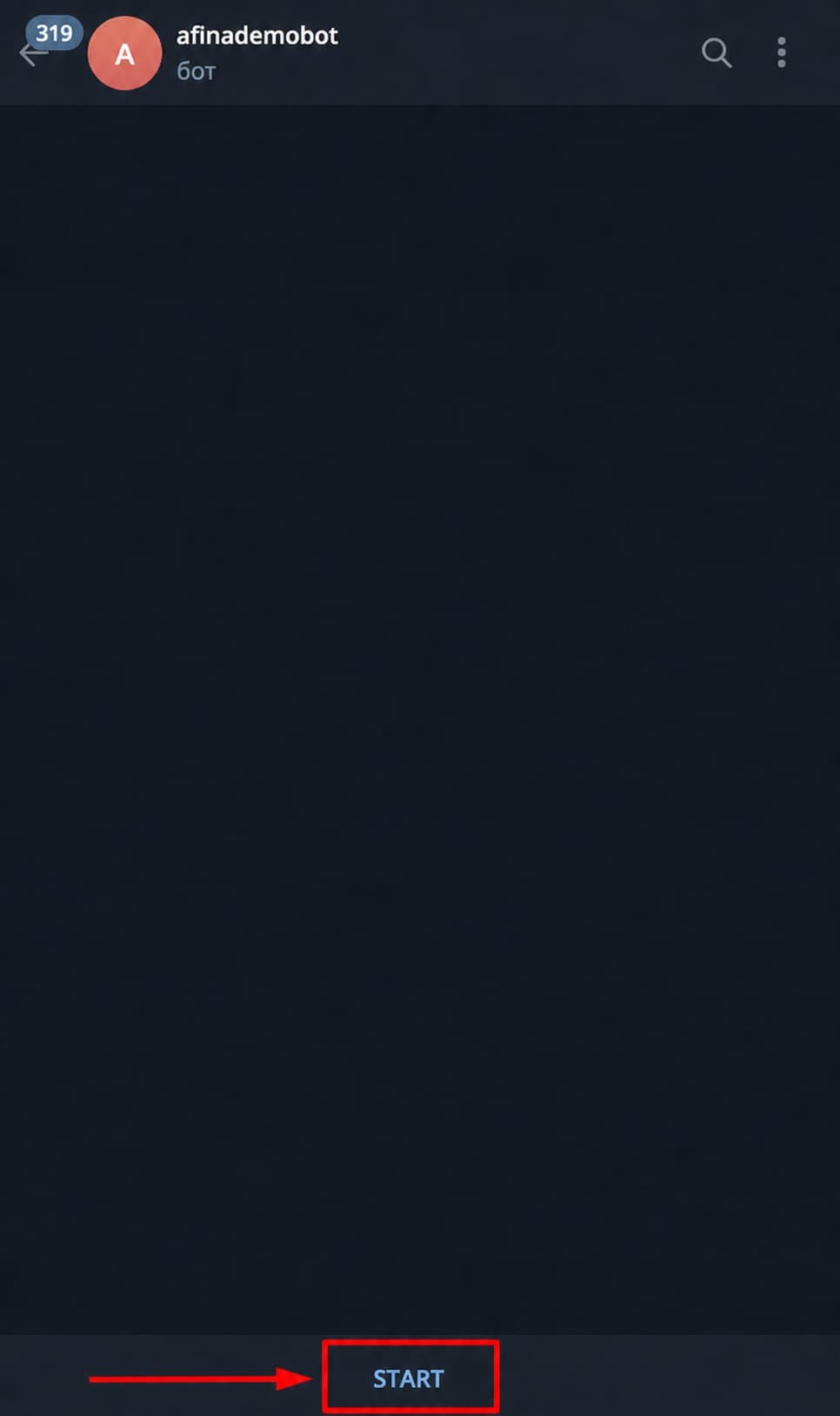
- Click Start or send the
Startcommand. This step is required: without starting the bot, messages will not be sent, and the Telegram block in scripts may return an error.
The screenshot below shows the chat with the created Telegram bot and the Start button.
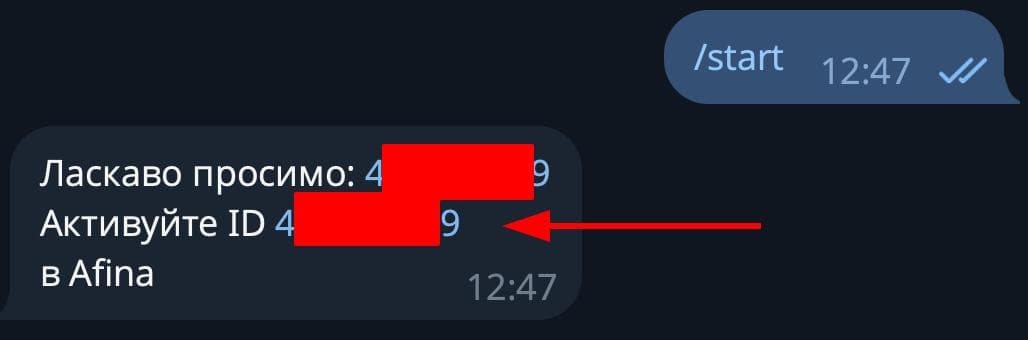
- Wait for a message from the bot with the chat ID. You do not need to copy the ID: after the bot is started, it is automatically added to the “Telegram” section in Afina.
The screenshot below shows the bot message that displays the chat ID. This ID is used to verify the record in Afina, but it is not entered manually.
Configuring the chat in Afina#
- Return to Afina.
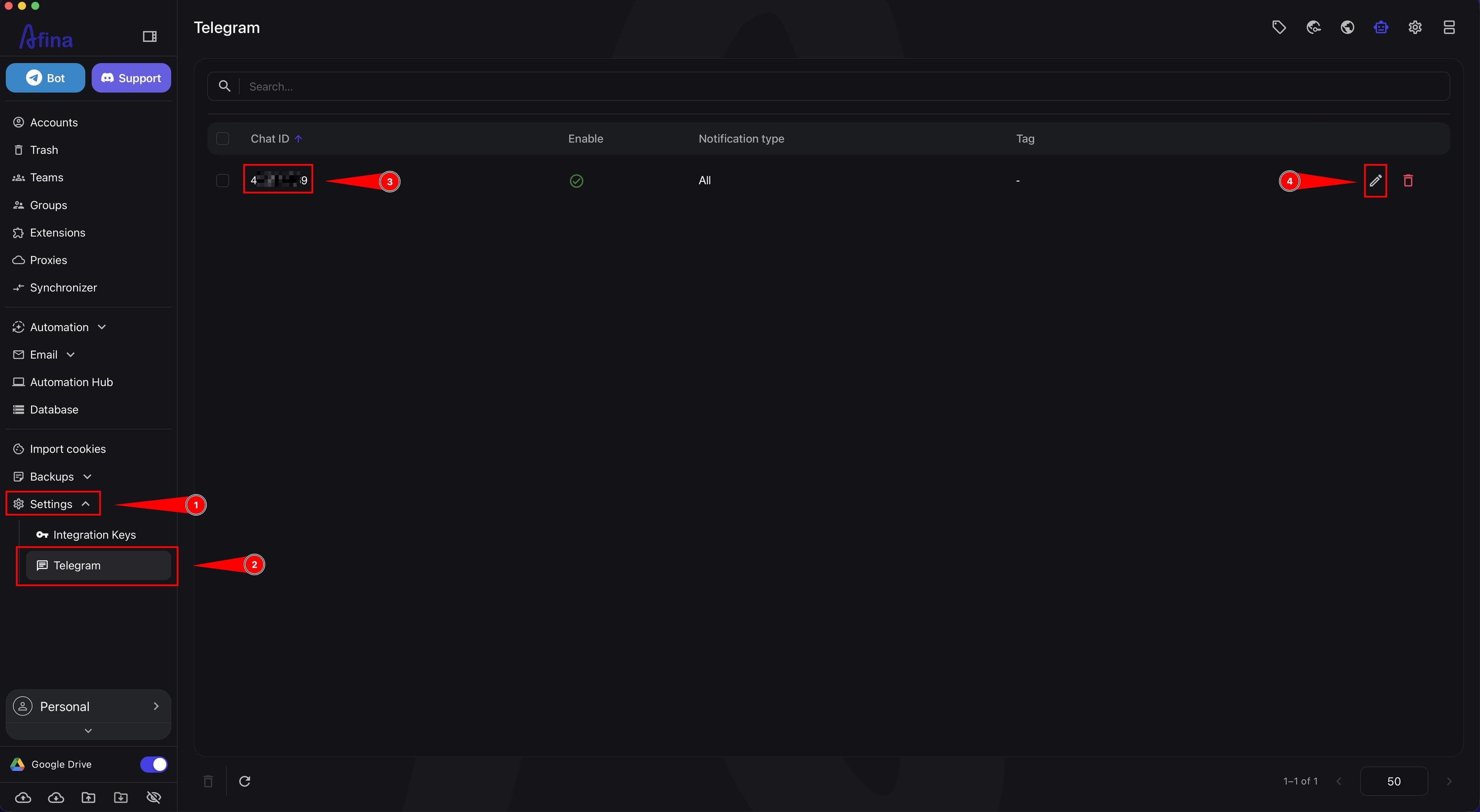
- In the left menu, open the Settings section.
- Select Telegram.
- Find the connected chat in the list. If the record does not appear, click the Refresh icon.
- Check that the chat ID in Afina matches the chat ID from the bot message.
- Click the Edit icon to the right of the required chat.
The screenshot below shows the Telegram section, where the chat ID and the Edit icon for editing access rights are visible.
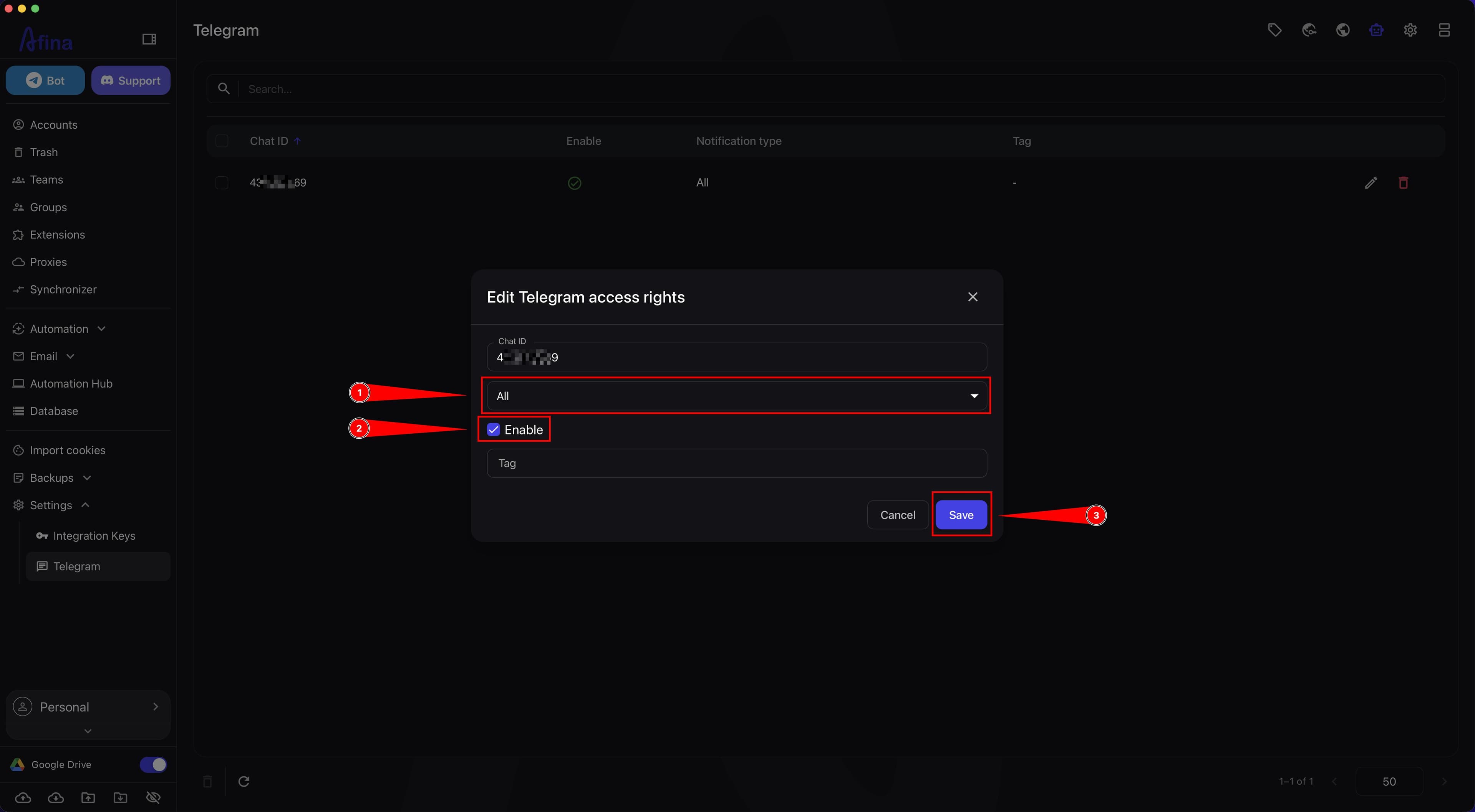
- In the “Edit Telegram access rights” window, in the “Notification type” field, select the required option: “All” for all notifications, “Read” for read messages, or “Scripts” for script events.
- If needed, fill in the “Tag” field to label the chat and find the required access faster.
- Enable the “Enable” checkbox.
- Click Save.
The screenshot below shows the “Edit Telegram access rights” window with the “Notification type” field, the “Tag” field, and the “Enable” checkbox.
If the bot is already used in another Afina installation, check whether the “Enable” checkbox is selected for the required chat; otherwise, messages may not arrive.
To make Telegram messages show which account sent the notification, open the “Scripts” tab in “Afina Core Settings” and add the ${accountName} variable to the “Telegram header format” field.
You can add not only your own Telegram to the Telegram bot, but also several other chats. For each chat, you can configure access rights, notification type, tag, and the “Enable” checkbox separately.
Result#
After completing these steps, Telegram will be connected to Afina: the Telegram API Key will be saved in the settings, the required chat ID will automatically appear in the “Telegram” section, and all notifications configured for this chat will arrive in the Telegram bot.